
Why the topic is so relevant
Wenn du ein Unternehmen führst, im Marketing arbeitest oder ein digitales Produkt entwickelst, musst du verstehen, welche Fachperson du für welche Aufgabe benötigst.
Because good design is not just pretty, it's functional.
It determines whether your website retains visitors, whether your app is intuitive to use or whether your product builds trust visually.
A lack of understanding often leads to misunderstandings, false expectations or poor results.
If you hire a graphic designer and think you'll also get a UX strategy, you'll be disappointed.
Deshalb zeige ich dir als Mitgründer unserer Webdesign Agentur hier die Unterschiede, Schnittstellen und Verbindungen dieser vier Disziplinen.
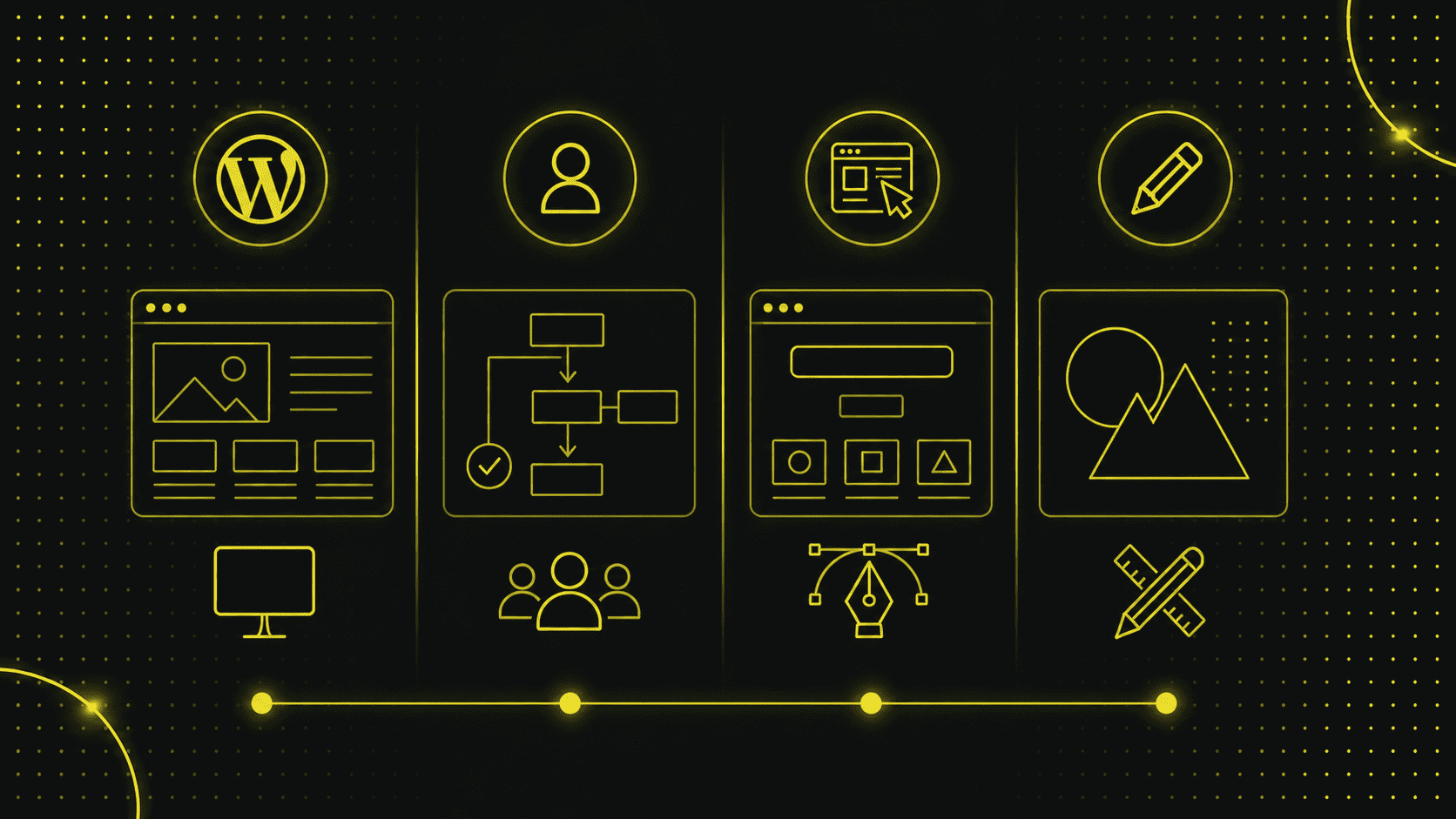
1. web design: the digital all-rounder
Web design includes the design, structuring and implementation of websites.
The web designer ensures that pages look visually appealing, are logically structured and function properly from a technical point of view.
Webdesigner arbeiten oft mit HTML, CSS und modernen Page Buildern oder CMS-Systemen wie WordPress.
Some are also front-end developers who implement the design directly in code.
Tasks of a web designer:
- Create layout and page structure
- Designsysteme für die Website definieren
- Implementing the mobile-first principle
- Integrate content such as texts, images and videos
- Planning navigation, interaction and user guidance
- Keeping an eye on performance, loading time, responsiveness and SEO
The focus is on the "website" product.
The web designer draws on elements from UX, UI and graphic design, but combines many roles, especially in smaller projects.
2 UX Design: Designing the user experience
What is UX design?
UX stands for user experience.
In other words, the entire user experience.
It describes how a person feels when they use a digital product.
UX Designer planen den gesamten Designprozess von der Zielgruppenanalyse bis zum Prototyping und zur Optimierung.
The aim is to solve problems and make use simple, pleasant and effective.
Aufgaben eines UX-Designers:
- User research, target group analyses, creating personas
- Planning information architecture
- Designing user flows and usage scenarios
- Building wireframes and clickable prototypes
- Perform A/B tests, user tests, feedback loops
- Identify and improve usability problems
UX designers work closely with stakeholders, developers and UI designers.
They analyze the "why" question:
Why don't users click?
Why do they break off?
Why do you find the form complicated?
Important difference:
UX-Designer gestalten keine visuellen Oberflächen, sondern das Konzept dahinter.
Their focus is on logic, structure, user needs and behavior.
3. UI-Design: Die Benutzeroberfläche gestalten
Was ist UI-Design?
UI stands for user interface.
Der UI-Designer übersetzt die UX-Konzepte in ein visuelles Design.
He designs buttons, colors, typography, icons, shapes and animations, i.e. everything that the user sees and clicks on.
UI-Designer sorgen dafür, dass die Benutzerfreundlichkeit nicht nur konzeptionell stimmt, sondern auch visuell unterstützt wird.
Good UI brings structure, clarity and aesthetics to the product.
Tasks of a UI designer:
- Define colors, contrasts and visual hierarchy
- Design responsive layouts
- Design interactive elements such as forms, slide menus or hover effects
- Create style guides, design tokens and component systems
- Design-Tools wie Figma oder Adobe XD nutzen
- Implement microinteractions, icons and animations
UI-Design = Design für die Augen.
It determines the first impression, readability and interaction.
4. graphic design: the creative origin
What is graphic design?
Graphic design is the design of visual communication.
It originally comes from the print world, but is now also used in digital projects.
Grafikdesigner gestalten z. B. Logos, Werbemittel, Social-Media-Posts, Infografiken, Illustrationen oder auch Designelemente für Websites.
Typical tasks:
- Developing logos and brand identities
- Design flyers, posters, brochures
- Define colors, typography and composition
- Design illustrations, icons or visuals
- Create graphics for social media and presentations
Der Unterschied zum UI-Design:
Graphic design is not interactive and not bound to software logic.
It's about visual impact, not user guidance.
Design vs. function: why the interaction counts
None of these fields stands alone.
Gutes Webdesign benötigt UX, UI und Grafikdesign.
In many projects, these roles work closely together or are combined in one person.
One example:
Ein UX-Designer plant den Ablauf eines Kontaktformulars, der UI-Designer gestaltet es visuell, der Webdesigner entwickelt es technisch, und der Grafikdesigner liefert passende Icons.
Especially in web design agencies or small teams, one person often takes on several roles.
In larger companies or for complex products, the tasks are clearly separated, with designers who specialize in UX, UI or graphics.
When do I need whom?
The roles become blurred in many projects.
Especially in smaller companies or start-ups, one person often takes on several tasks.
But if you want to proceed in a targeted and professional manner, it is worth separating responsibilities.
Hier erkläre ich dir, wann du wen benötigst, mit klaren Beispielen aus der Praxis.
Du brauchst eine neue Website mit durchdachter Struktur, modernem Layout und technischer Umsetzung?
Then a web designer is your first port of call.
A web designer takes on the holistic planning and design of websites.
He analyzes your content, develops a page structure, plans navigation, ensures good user guidance and implements everything technically, usually with HTML, CSS or in a CMS such as WordPress.
Dabei achtet er auf mobile Darstellung (Responsive Design), Ladezeiten, Suchmaschinenfreundlichkeit und rechtliche Anforderungen.
Ein guter Webdesigner denkt sowohl konzeptionell als auch visuell und technisch und kennt sich mit Tools wie Figma, Elementor, Framer oder Webflow aus.
You need it when...
... you want to build a new website,
... you want to improve structure and content,
... you want a technically stable, high-performance site,
... you plan a complete web project - from the idea to the launch.
Are you noticing that users on your website or app aren't doing what they're supposed to? Do they bounce, stop clicking or seem confused?
Dann brauchst du einen UX-Designer.
Der UX-Designer analysiert das Verhalten deiner Nutzer und entwickelt Lösungen, um die Benutzererfahrung (User Experience) zu verbessern.
He conducts interviews, tests and analyses, identifies problems in the interaction and builds prototypes that he tests with real users.
It's not about looks, but about structure, behavior and logic.
You need it when...
... your site looks nice, but works badly,
... you want to increase conversion rates or leads,
... you want to know what your users really need,
... you are designing a complex app or platform and need to understand the behavior of your target group.
Du willst Oberflächen gestalten, die nicht nur funktionieren, sondern auch visuell überzeugen? Du brauchst klare Layouts, moderne Screens, lesbare Typografie und ein starkes Designsystem?
Dann ist ein UI-Designer gefragt.
Der UI-Designer übernimmt die visuelle Ausgestaltung von Benutzeroberflächen, egal ob für Websites, Apps oder digitale Tools.
He translates the UX specifications into a concrete visual interface: Buttons, spacing, colors, typography, icons, animations.
Er gestaltet das, was der Nutzer wirklich sieht und klickt, und sorgt dafür, dass alles stimmig, nutzbar und markenkonform ist.
You need it when...
... your application needs a visual redesign,
... you want to have a Figma layout created for developers,
... you are designing an app that should be intuitive and modern,
... you need design systems or component libraries.
Do you need a logo, a poster, an infographic or a social media post? It's not about interaction, but about visual communication?
Then a graphic designer is the right choice.
Graphic designers create visual content for print and digital.
Sie entwickeln Markenidentitäten, und gestalten Logos, Geschäftsausstattungen, Anzeigen, Broschüren oder visuelle Kampagnen für Instagram & Co.
You work with tools such as Adobe Illustrator, Photoshop or InDesign and have creative know-how in image composition, color, typography and brand aesthetics.
You need it when...
... you are planning a professional logo or rebranding,
... you need flyers, presentations or visuals for social media,
... you want to create infographics or illustrations,
... you want to give your brand a uniform, strong appearance.
Frequent misunderstandings
Anyone dealing with web design, UX, UI or graphic design for the first time will quickly stumble across unclear terms.
Many terms sound similar, partly overlap and are often used synonymously in everyday life (or in job titles).
This leads to misunderstandings.
Not only with customers, but also in companies that want to create new roles.
In the following, I will show you the most common misconceptions and what is really behind them.
UX und UI sind doch das Gleiche?
No, this is one of the most fundamental misunderstandings in the field of digital design.
UX (User Experience) deals with the entire user experience:
How does it feel to use?
How intuitive is the process?
How quickly can the user find the information they are looking for?
UX-Designer analysieren Verhalten, Bedürfnisse und Frustrationen.
Sie planen Prozesse, User Flows, und Informationsarchitektur und führen Nutzertests durch.
You work conceptually.
UI (User Interface Design), on the other hand, designs the visible interface:
Which colors, shapes, spacing, icons or font sizes are used?
What does the button that the user clicks on look like?
UI designers translate the UX strategy into a concrete visual interface.
Short:
UX = why and how something works.
UI = how it looks and feels.
Both are closely related, but fulfill different tasks in the design process.
Ein Webdesigner macht auch gleich Logos und Social-Media Grafiken?
Not necessarily.
This is more graphic design.
A web designer specializes in planning, designing and technically implementing websites.
He or she thinks in terms of layouts, image sizes, font behavior on the web, responsive grid structures, SEO requirements, loading times and CMS compatibility.
The design is therefore functional and targeted.
Ein Grafikdesigner dagegen gestaltet meist statische Medien: Logos, Visitenkarten, Social-Media-Templates, Flyer oder Plakate.
The main focus is on aesthetics, brand impact, composition and visual language, not on interaction or technical implementation on the web.
Many web designers have basic knowledge of graphic design.
Und ja, manche gestalten auch Logos oder Key-Visuals mit, aber gerade bei umfassenden Markenauftritten oder Relaunches lohnt sich die Zusammenarbeit mit einem spezialisierten Brand- oder Grafikdesigner.
UX-Designer brauchen kein technisches Wissen?
Nur teilweise. UX-Designer müssen keine Entwickler sein.
But:
A basic understanding of technology is essential in order to design realistic concepts.
Ein gutes UX-Konzept berücksichtigt technische Machbarkeit, Ladezeiten, Barrierefreiheit, Geräteunterschiede und Entwicklungsaufwand.
For example, if you want to reinvent a button on every page or incorporate animations that are technically complex or impractical, you will lose the developers along the way.
Viele UX-Designer arbeiten deshalb eng mit Front-End-Entwicklern, UI Designern oder Webdesignern zusammen oder bringen selbst HTML- und CSS-Grundlagen mit, um Prototypen zu erstellen oder zu erklären.
Conclusion:
UX is not a purely creative discipline, but a strategic, analytical and often technical interface role.
Can an AI replace all that?
Not really, at least not completely.
Ja, KI kann bei vielen Schritten im Designprozess unterstützen.
Sie erstellt Designvorlagen, generiert Landingpage-Strukturen, schlägt Farbschemata vor oder hilft beim Texten von Website-Inhalten.
Tools such as Framer AI, Relume, Jasper, ChatGPT and Midjourney are revolutionizing the way designers work.
But:
AI does not understand users.
It analyzes data, not behavior.
It recognizes patterns, but not emotions.
A design based solely on AI often remains generic.
It lacks the subtle difference that real designers bring to the table:
A feel for language, target groups, brand identity and psychological principles.
In addition:
Anyone working with AI needs to understand the basics of UX, UI and web design in order to know which suggestions are useful and which are not.
So the reality is:
AI is a powerful tool, but it is no substitute for human intuition, strategic thinking and visual sensitivity.
Conclusion: Difference between web design, UX, UI, graphic design
If you want to design a successful website, app or digital application today, you should understand the differences between web design, UX design, UI design and graphic design, because each of these disciplines fulfills its own task in the overall process.
Web design combines structure, content and technology.
It's about building websites that are functional and visually appealing, with a view to user guidance, loading time, responsiveness and search engine optimization.
UX-Design fokussiert sich auf das Nutzungserlebnis.
It analyzes how users think, act and move through digital products.
The aim is to improve processes, solve problems and make procedures easier to understand.
UI-Design sorgt für die visuelle Umsetzung der Nutzeroberfläche.
Buttons, colors, typography, spacing - everything that a user sees and clicks on is created here.
It's not just about aesthetics, but about clear structure and targeted interaction.
Graphic design, on the other hand, is classically visual.
It includes the design of logos, print media, illustrations and visual brand identities.
Graphic designers often work independently of the digital context, but provide important creative foundations.
All areas are interlinked, but they have different focuses.
Those who know when which role is required make better decisions: whether in the selection of specialists, in project planning or in setting up a design team.
So the next time you design a website, implement an app or want to further develop your brand image, the following applies:
Good design is not a product of chance.
It takes strategy, structure, expertise - and a team that understands the needs of your users.