



Welche Unternehmen setzen auf WordPress?
WordPress ist eines der weltweit führenden Content-Management-Systeme (CMS) und wird nicht nur von kleinen Blogs und Start-ups genutzt, sondern auch von international renommierten Unternehmen und Organisationen.
Anstatt pauschal zu sagen, dass sich WordPress für bestimmte Branchen eignet, zeige ich anhand konkreter Beispiele, welche bekannte Firmen WordPress als Basis für ihre Websites verwenden.
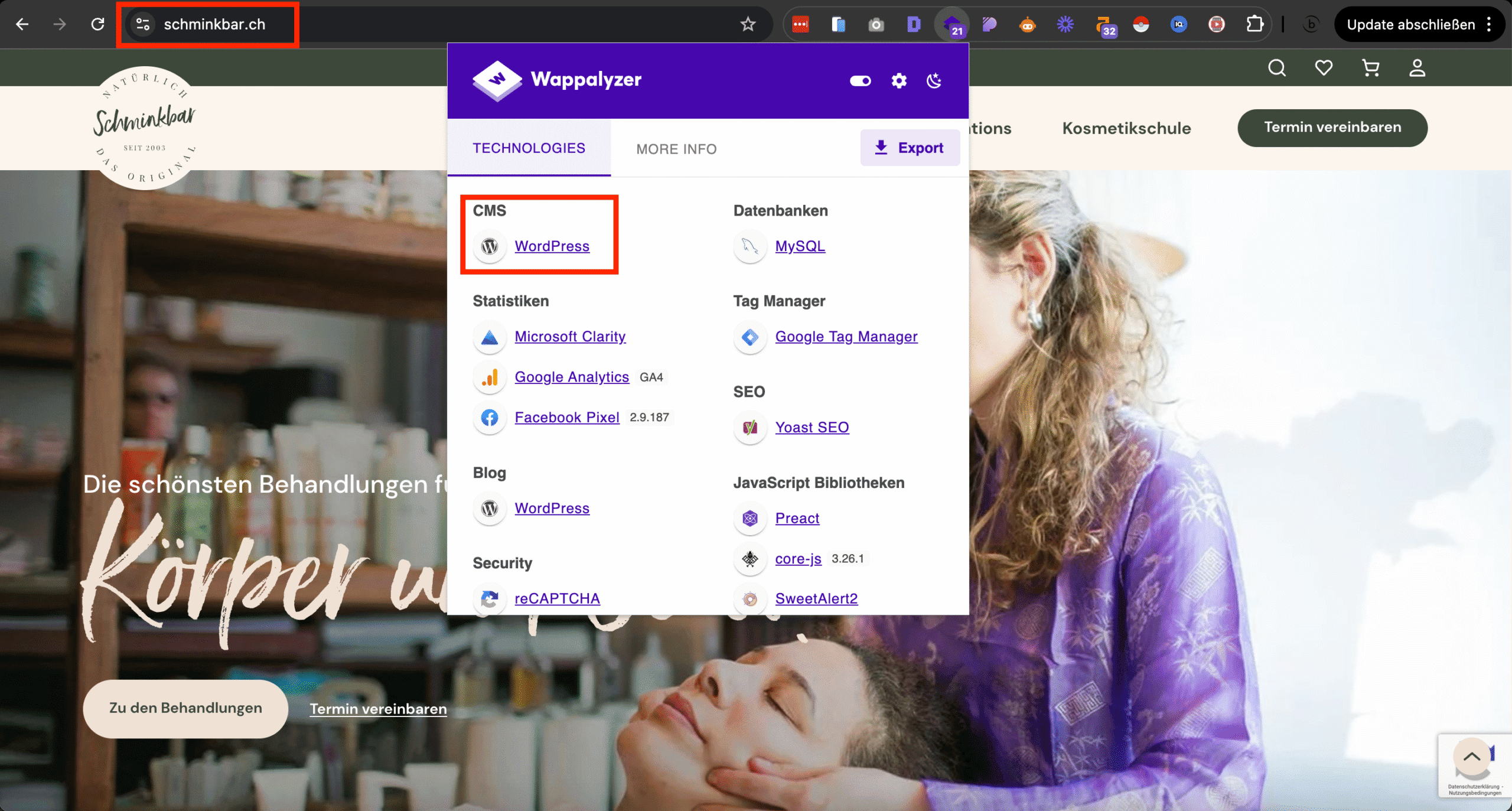
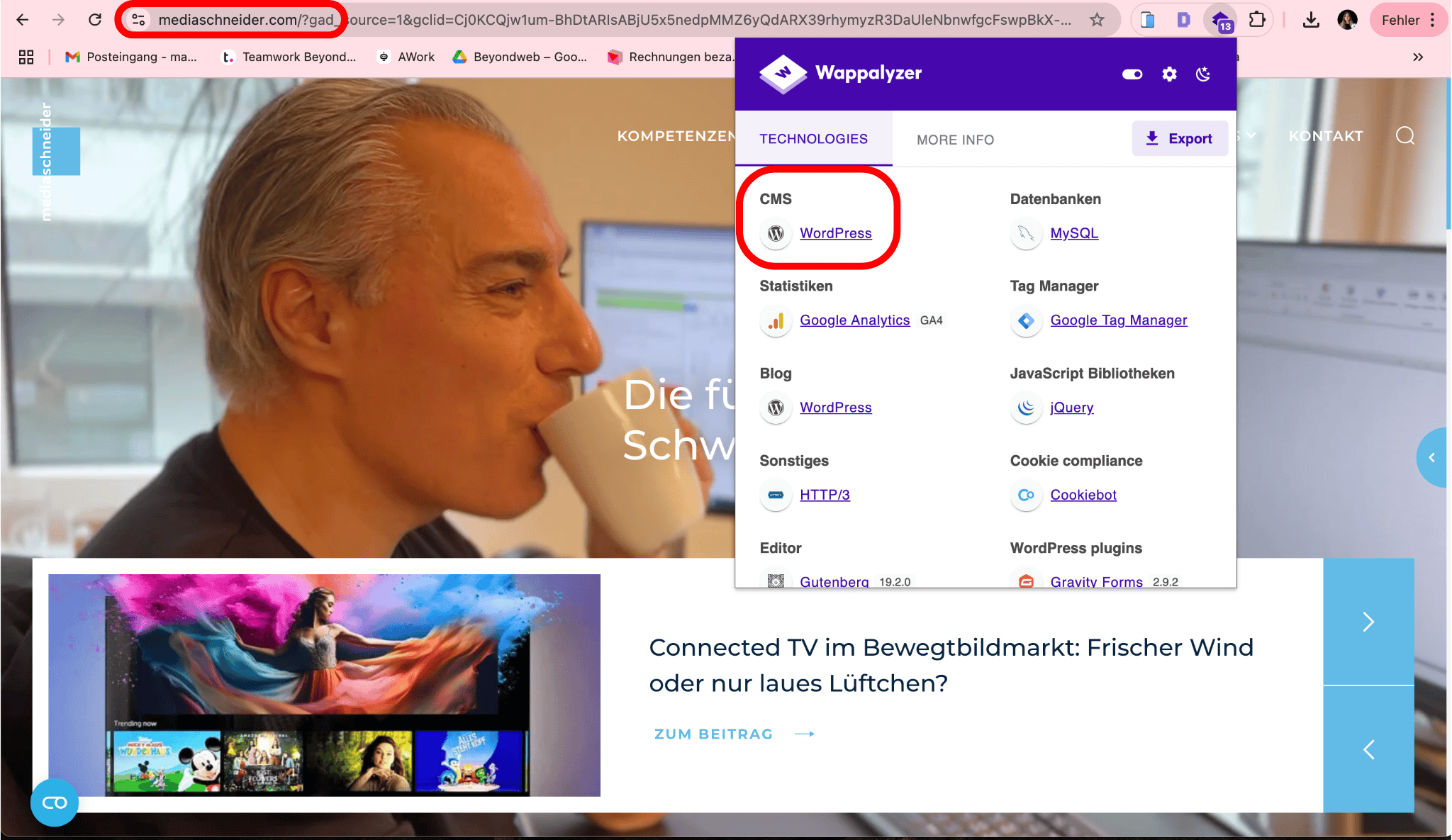
Dabei habe ich mit dem Chrome-Plugin «Wappalyzer» geprüft, welche Unternehmen WordPress nutzen.
So wird deutlich, welche Vorteile das System bietet und in welchen Bereichen es besonders stark ist.
Hier sind zehn bekannte Schweizer Firmen, die ihre Website mit WordPress betreiben:
11 bekannte Schweizer Unternehmen, die auf WordPress setzen.
#1 – The Dolder Grand
Branche: Hotellerie & Gastronomie
WordPress-Funktionen: WooCommerce, Yoast SEO, Blog
Das berühmte 5-Sterne-Luxushotel „The Dolder Grand“ in Zürich setzt bei seiner Website auf WordPress.
Neben der ansprechenden Gestaltung wird das gesamte Hotelangebot, einschliesslich Buchungsprozesse und Zahlungsabwicklung, über WooCommerce gesteuert.
Das zeigt, dass WordPress auch im Luxussegment höchsten Ansprüchen gerecht wird – sei es in Bezug auf Design, SEO, Zahlungsabwicklung oder Sicherheit.
Zur Optimierung der Sichtbarkeit setzt das Dolder zudem auf das Plugin Yoast SEO.
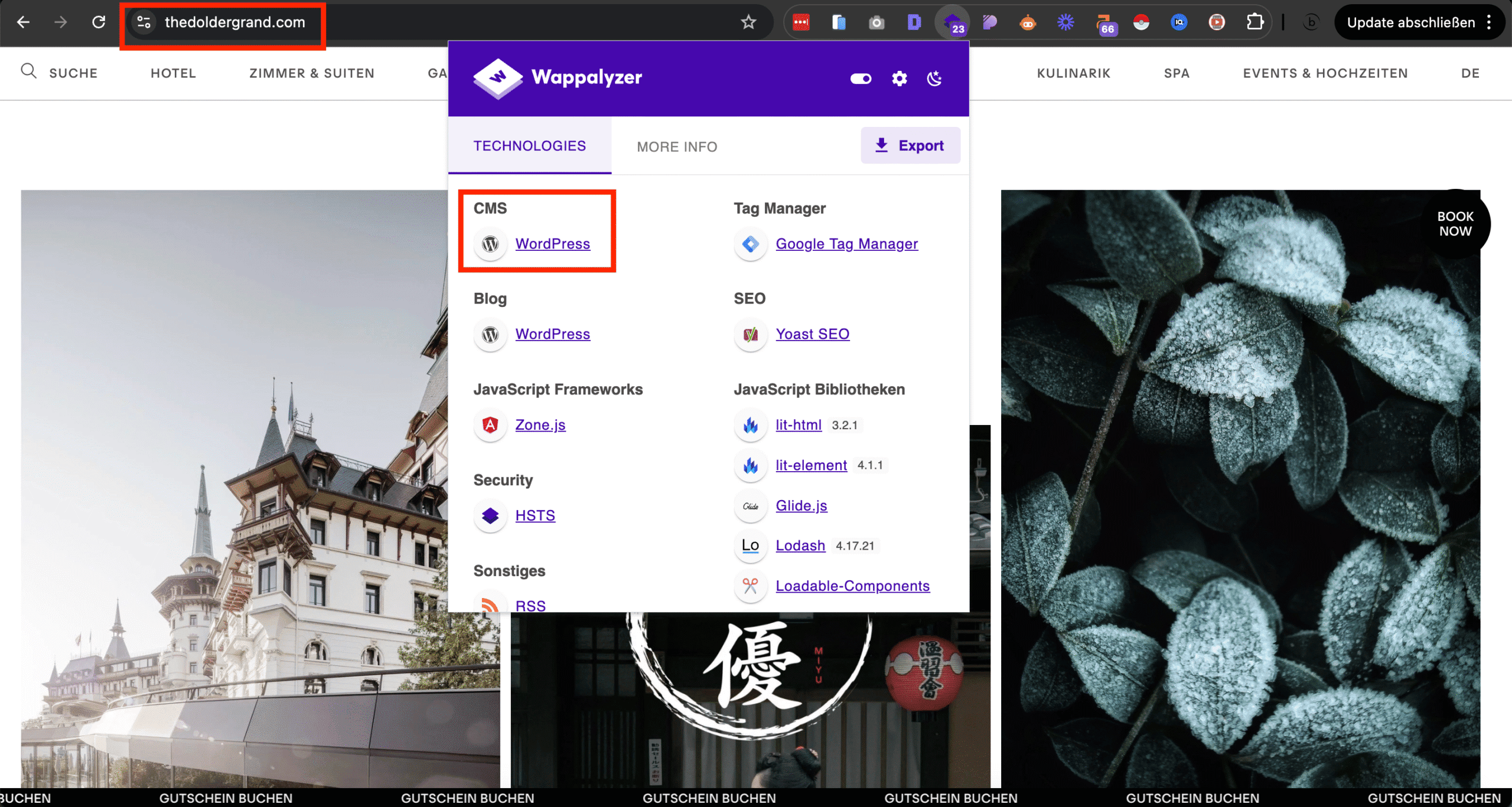
Das berühmte 5-Sterne-Luxushotel in Zürich «The Dolder Grand» betreibt ihre Website über WordPress.
#2 – Schminkbar
Branche: Kostmetikdienstleistungen & Online Shop
WordPress-Funktionen: WooCommerce, Yoast SEO, Blog
Die Schminkbar, mit Standorten in Winterthur, Luzern, Zürich und Basel, nutzt ebenfalls WordPress für ihre Website.
Ein wichtiger Bestandteil der Website ist ein Online-Shop, der über WooCommerce angebunden ist.
Zusätzlich wird Yoast SEO genutzt, um die Sichtbarkeit in Suchmaschinen zu verbessern.
Auch der hauseigene Blog läuft über WordPress, um Kunden regelmässig mit Tipps und Neuigkeiten aus der Kosmetikbranche zu versorgen.
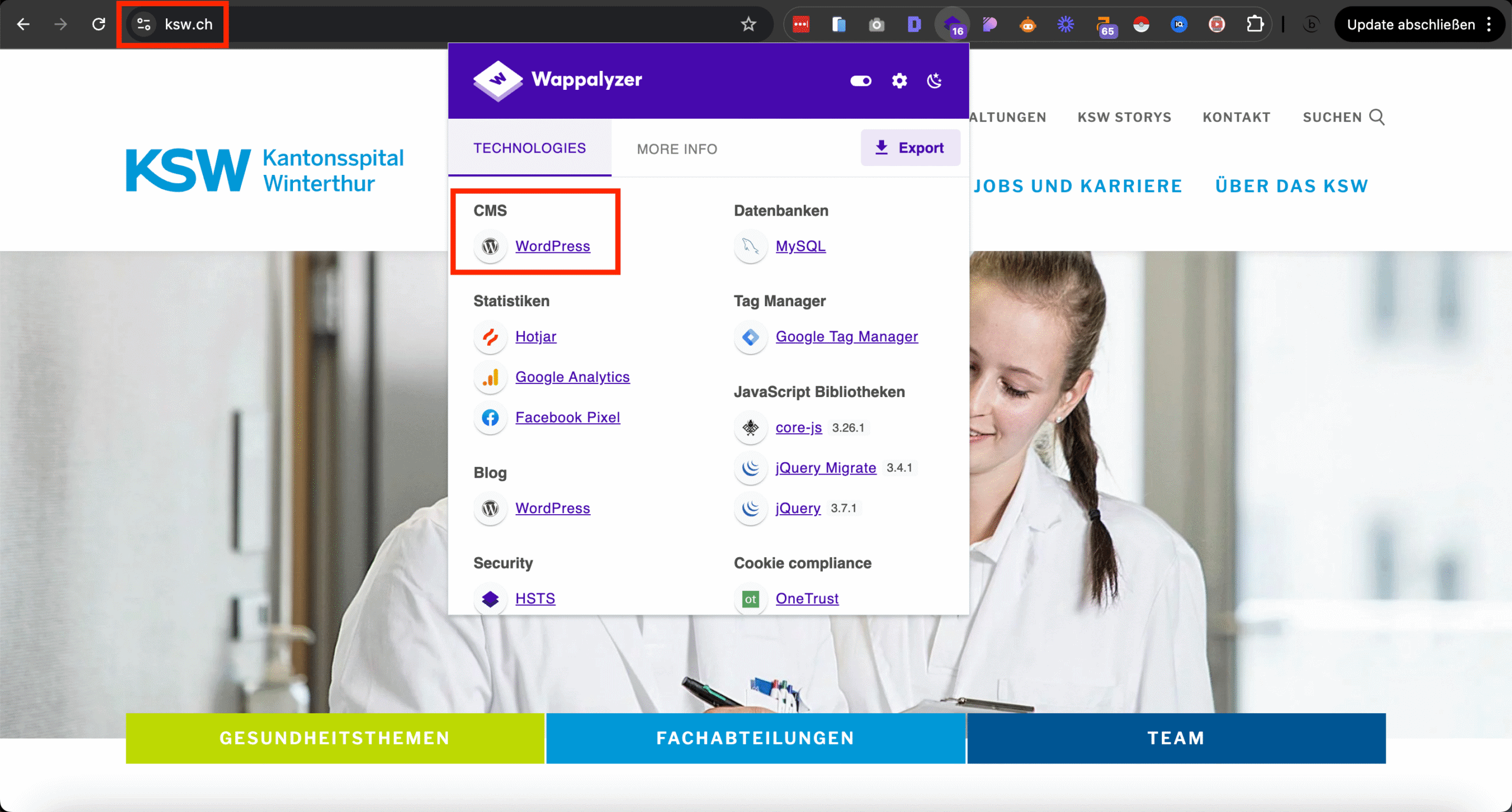
#3 – Kantonsspital Winterthur (KSW)
Branche: Gesundheitswesen
WordPress-Funktionen: WordPress Webbuilder
Auch das Kantonsspital Winterthur setzt bei ihrer Website auf WordPress.
Sämtliche Fachabteilungen und Teams werden über das Content-Management-System (CMS) WordPress verwaltet.
Das zeigt, WordPress eignet sich auch für grössere Institutionen im Gesundheitswesen.
#4 – Pestalozzi-Bibliothek Zürich
Branche: Bibliothekswesen
WordPress-Funktionen: WordPress Webbuilder, Yoast SEO
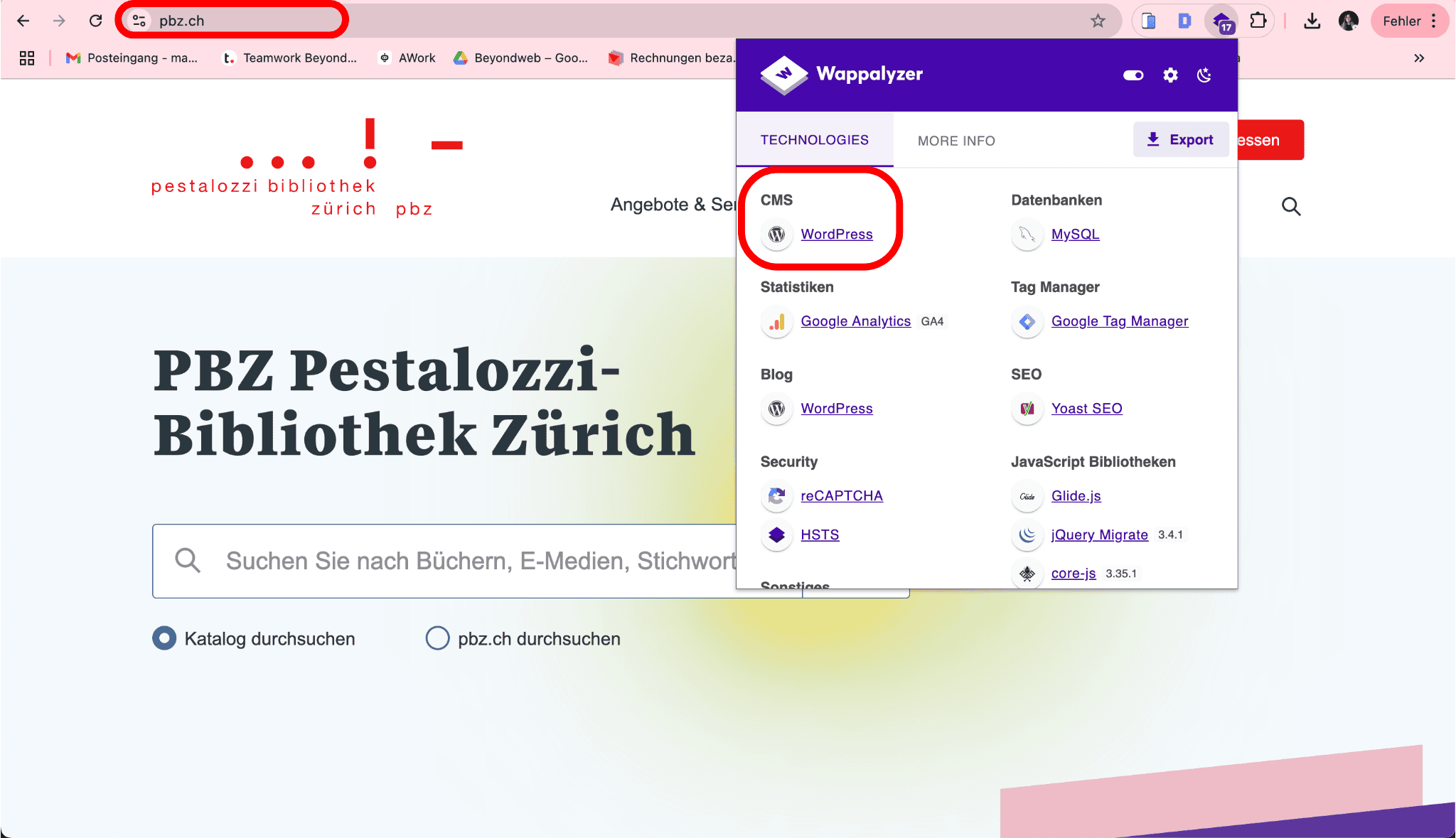
Die Pestalozzi-Bibliothek Zürich (PBZ) setzt auf WordPress für ihre Website, um eine benutzerfreundliche Plattform für ihre Besucher bereitzustellen.
Die Website informiert über Standorte, Öffnungszeiten und Veranstaltungen und ermöglicht den Online-Zugriff auf den Medienkatalog.
Durch die Nutzung von WordPress kann PBZ Inhalte einfach aktualisieren und flexibel anpassen, um ihren Nutzern immer aktuelle Informationen zu bieten.
Zur Suchmaschinenoptimierung kommt zudem Yoast SEO zum Einsatz, um die Sichtbarkeit der Bibliothek in Google zu verbessern.
#5 – Helvetic Trust
Branche: Vermögensverwaltung & Finanzdienstleistungen
WordPress-Funktionen: Unternehmenspräsentation, individuelle Anpassungen, Sicherheitsoptimierung
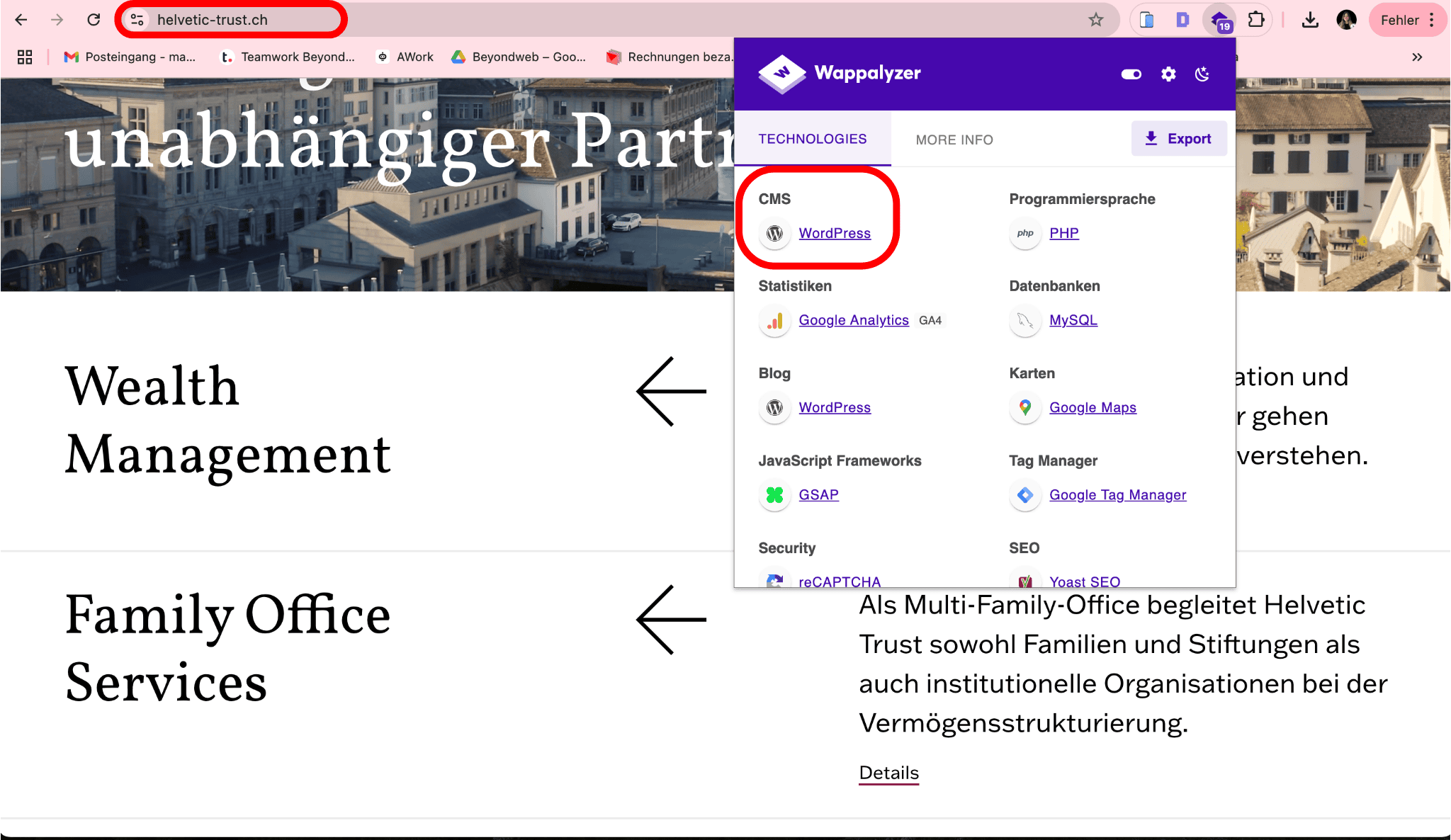
Helvetic Trust ist ein unabhängiges Schweizer Finanzberatungsunternehmen.
Auch dieses Unternehmen nutzt WordPress für seine Webpräsenz.
Die Website bietet umfassende Informationen über Finanzdienstleistungen, Vermögensverwaltung und individuelle Anlageberatung.
Durch den Einsatz von WordPress kann Helvetic Trust seine Inhalte leicht verwalten und anpassen, während gleichzeitig Sicherheitsmassnahmen implementiert wurden, um die Website vor unautorisierten Zugriffen zu schützen.
#6 – Sinalco Schweiz
Branche: Getränkehersteller
WordPress-Funktionen: Produktpräsentation, Unternehmensdarstellung, SEO-Optimierung
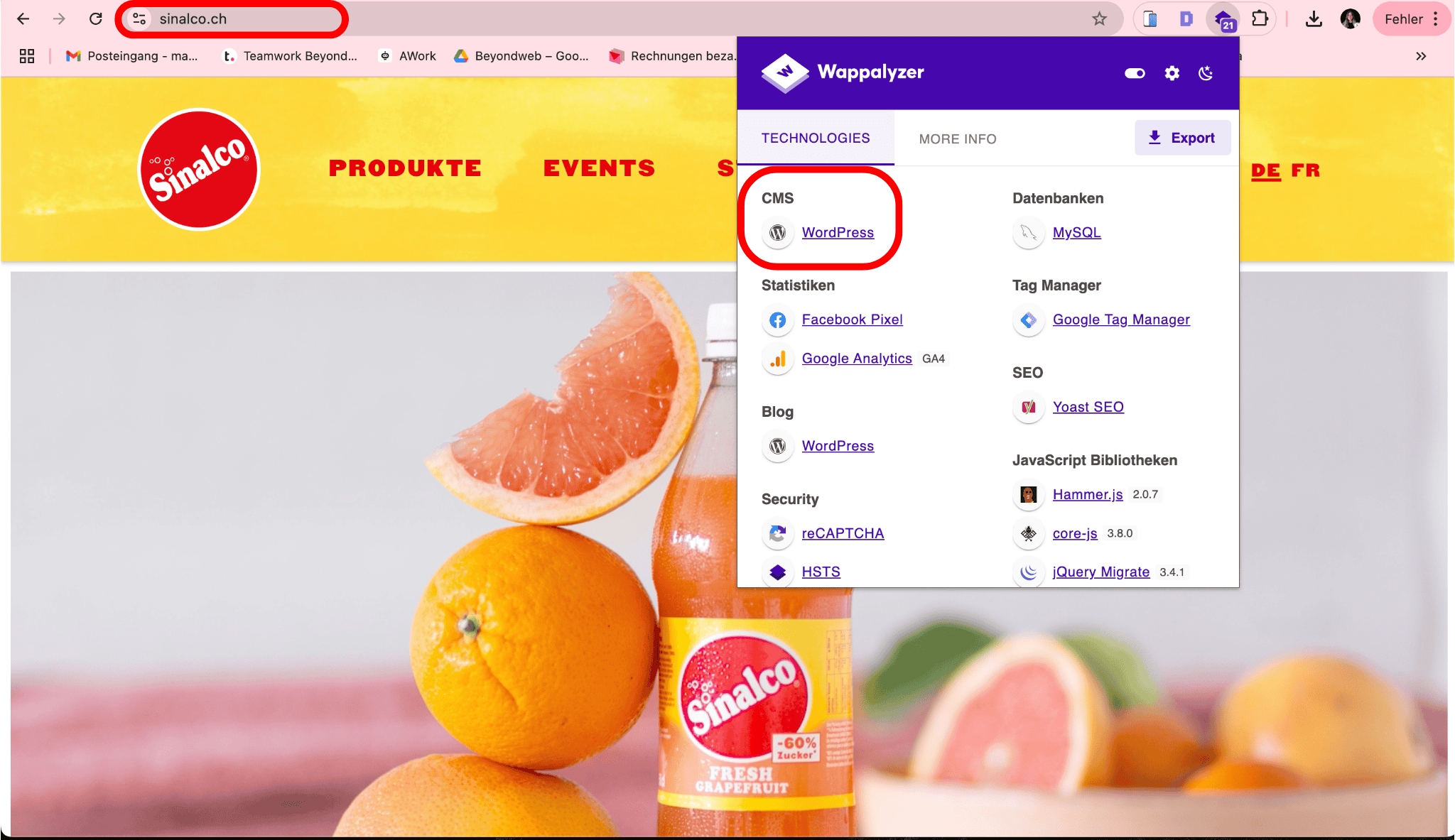
Die bekannte Getränkemarke Sinalco Schweiz setzt auf WordPress für ihre Website, um ihre vielfältigen Erfrischungsgetränke ansprechend zu präsentieren.
Die Website bietet eine übersichtliche Darstellung der verschiedenen Produktlinien.
Dank WordPress kann Sinalco Schweiz seine Inhalte flexibel verwalten und regelmässig aktualisieren.
Die suchmaschinenoptimierte Struktur sorgt für eine bessere Auffindbarkeit und eine ansprechende Darstellung auf allen Endgeräten.
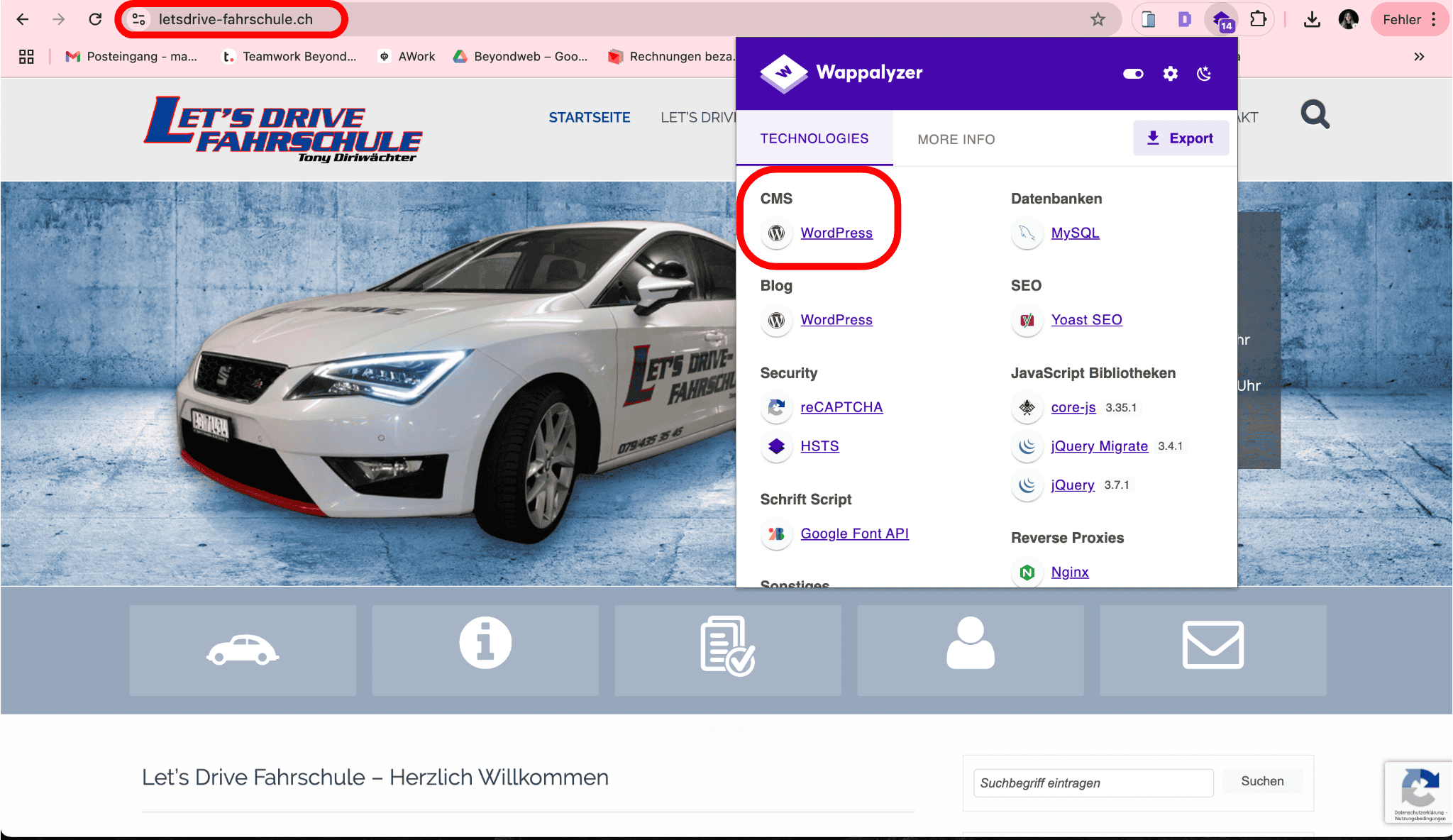
#7 – Fahrschule Let’s Drive
Branche: Fahrschule
WordPress-Funktionen: Individuelles Webdesign, Kursbuchungssystem
Die Fahrschule Let’s Drive bietet Fahrunterricht in der Region und nutzt WordPress, um ihre Dienstleistungen online zu präsentieren.
Die Website ermöglicht es Schülern, Fahrstunden zu buchen und sich über die angebotenen Kurse zu informieren.
Durch die Nutzung von WordPress kann die Fahrschule ihre Inhalte flexibel verwalten und aktualisieren.
#8 – DP Automobile
Branche: Automobilhandel
WordPress-Funktionen: Fahrzeugkatalog, Kontaktformular
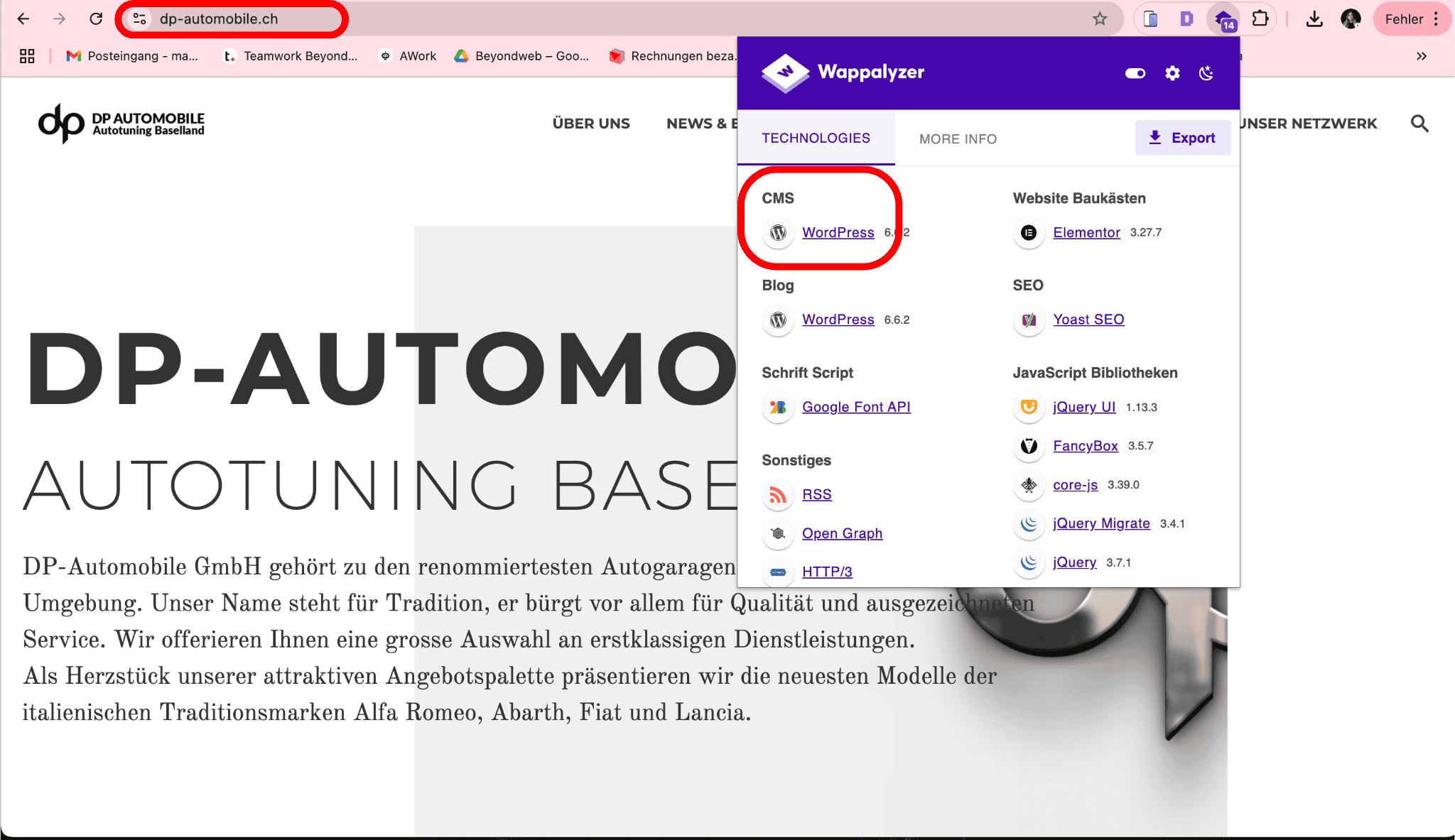
DP-Automobile ist ein Autohändler, der WordPress verwendet, um seine Fahrzeugangebote online zu präsentieren.
Die Website enthält einen detaillierten Fahrzeugkatalog und ermöglicht es potenziellen Kunden, über ein Kontaktformular Anfragen zu stellen.
Durch WordPress kann DP-Automobile seine Angebote einfach aktualisieren und verwalten.
#9 – Stücki Park Basel
Branche: Immobilien & Gewerbe
WordPress-Funktionen: Individuelles Webdesign, Unternehmenspräsentation
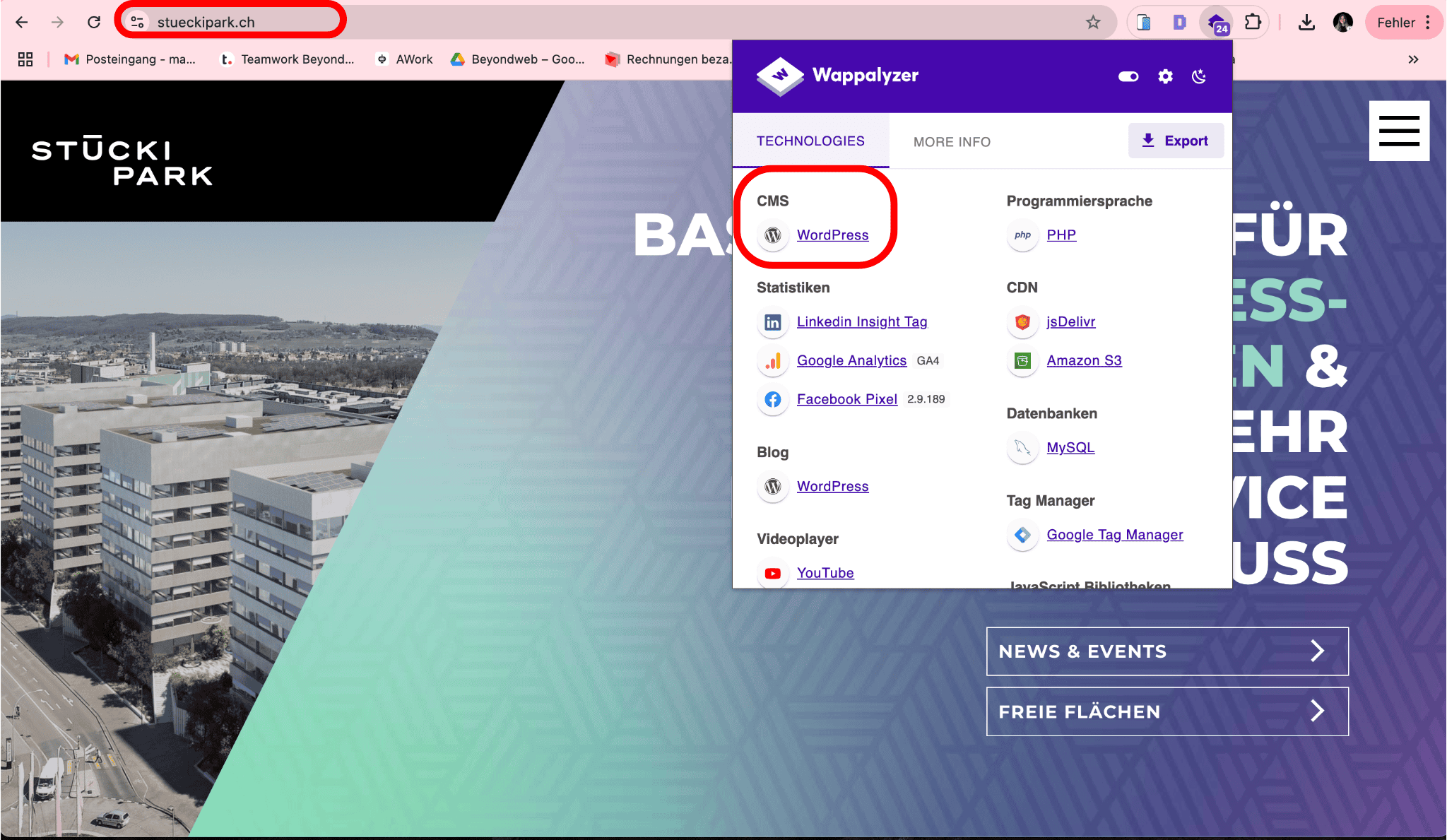
Der Stücki Park Basel, ein modernes Geschäfts- und Freizeitareal, nutzt WordPress für seine Website.
Die Plattform bietet Unternehmen, Start-ups und Forschungseinrichtungen umfassende Informationen zu Mietflächen, Events und Dienstleistungen im Stücki Park.
Dank WordPress kann die Website dynamisch aktualisiert werden, um aktuelle Entwicklungen und Veranstaltungen leicht zu kommunizieren.
Das moderne Design sorgt für eine intuitive Nutzerführung und eine ansprechende Präsentation des Standorts.
#10 – Ramseier
Branche: Getränkehersteller (Apfelsäfte & Softdrinks)
WordPress-Funktionen: Unternehmenspräsentation, Produktdarstellung, SEO-Optimierung
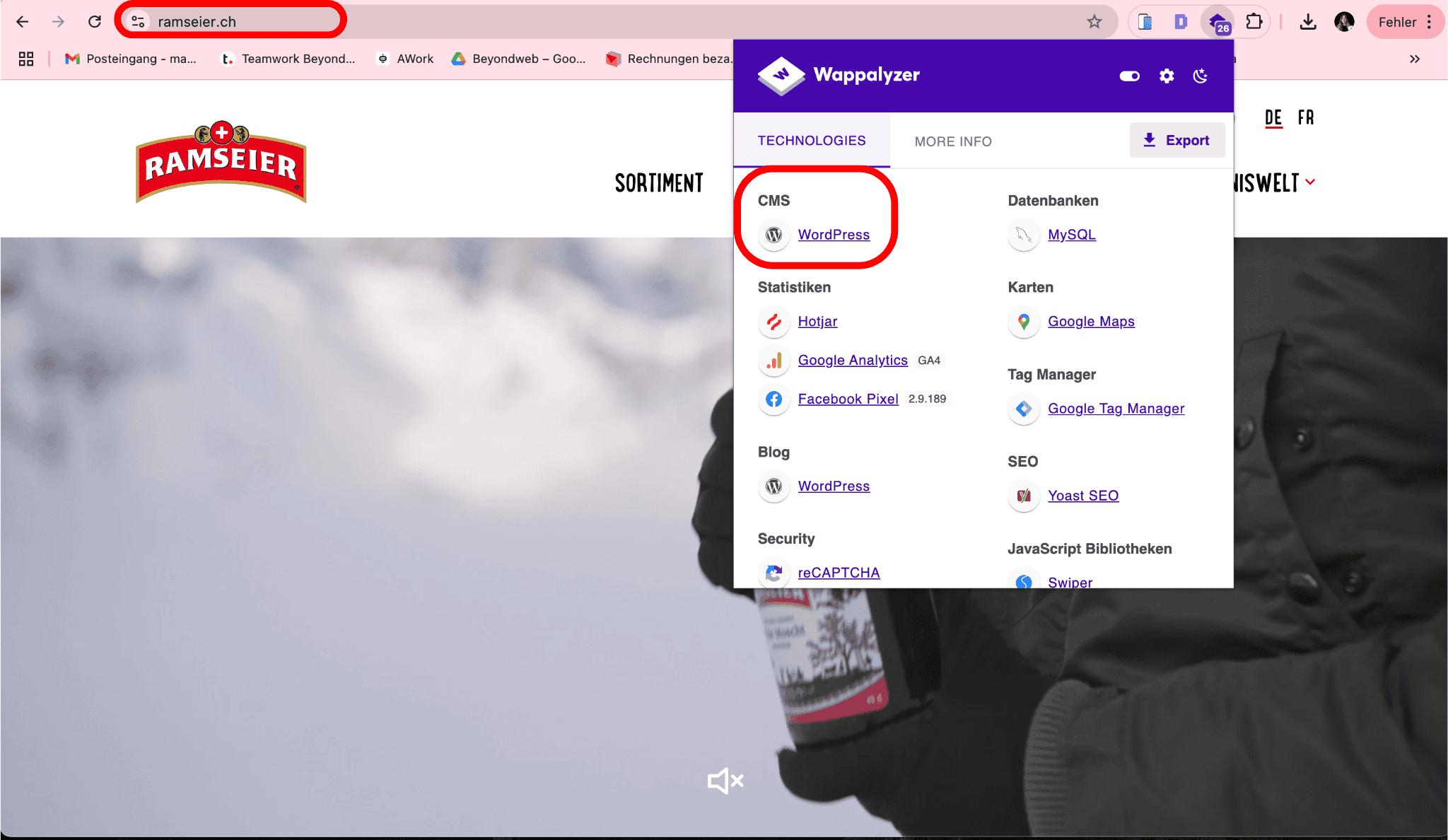
Der bekannte Schweizer Getränkehersteller Ramseier setzt auf WordPress für seine Website, um seine vielfältigen Getränkeprodukte zu präsentieren.
Die Website bietet eine übersichtliche Darstellung der verschiedenen Apfelsäfte, Schorlen und Softdrinks sowie Informationen zu Nachhaltigkeit und Unternehmensgeschichte.
Mit WordPress kann Ramseier Inhalte flexibel verwalten und seine Produkte visuell ansprechend präsentieren.
Die Plattform ist suchmaschinenoptimiert, um eine hohe Sichtbarkeit für Endkunden zu gewährleisten.
#11 – Mediaschneider
Branche: Marketing & Mediaagentur
WordPress-Funktionen: Individuelles Webdesign, Unternehmensdarstellung, SEO-Optimierung
Die Schweizer Mediaagentur Mediaschneider, die sich auf datengetriebenes Marketing spezialisiert hat, setzt für ihre Website auf WordPress.
Die Plattform dient als zentrale Anlaufstelle für potenzielle Kunden, um sich über die Dienstleistungen der Agentur zu informieren.
Durch den Einsatz von WordPress kann Mediaschneider Inhalte effizient aktualisieren, um über neue Trends und Entwicklungen in der digitalen Werbewelt zu berichten.
Das klare und moderne Design sorgt für eine professionelle Markenpräsentation.
Für welche Art Unternehmen eignet sich WordPress besonders?
WordPress ist das weltweit führende Content-Management-System und wird von einer breiten Palette an Unternehmen genutzt.
Ob kleine Firmen, Startups, E-Commerce-Websites, E-Learning-Plattformen oder Event-Websites – WordPress bietet eine flexible, skalierbare und kosteneffiziente Lösung.
Doch für welche Unternehmen eignet sich WordPress besonders?
Das möchte ich dir im nachfolgenden Abschnitt genauer erklären.
Kleine und mittlere Unternehmen (KMU)
Viele KMUs setzen auf WordPress, weil es eine kostengünstige, benutzerfreundliche und skalierbare Lösung bietet.
Firmenwebsites können mit Themes und Plugins individuell angepasst werden, ohne hohe Entwicklungskosten.
Vorteile für KMUs:
- Relativ kostengünstig: Durch die Open-Source-Natur fallen keine Lizenzgebühren an.
- Einfache Wartung: Updates, Inhalte und Plugins können auch von Laien verwaltet werden.
- SEO-freundlich: Mit Plugins wie Yoast SEO oder Rank Math können Unternehmen ihre Sichtbarkeit in Suchmaschinen optimieren
- Skalierbarkeit: WordPress wächst mit dem Unternehmen.
Start-ups
Für Startups ist WordPress oft die beste Wahl, weil es eine kostengünstige und flexible Lösung bietet.
Besonders Unternehmen mit kleinerem Budget profitieren von der Möglichkeit, mit einem vorgefertigten Theme zu starten und später individuelle Anpassungen vorzunehmen.
Warum eignet sich WordPress für Startups?
- Geringe Anfangskosten: Open Source bedeutet, dass Unternehmen für das System selbst nichts zahlen müssen.
- Einfache Erweiterbarkeit: Durch Plugins lassen sich zusätzliche Funktionen problemlos nachrüsten.
- Gute Entwickler-Community: WordPress bietet Zugang zu einer grossen Entwickler-Community, falls technische Unterstützung benötigt wird.
E-Commerce und Online-Shops
WordPress ist nicht nur für klassische Websites geeignet, sondern auch eine starke Basis für E-Commerce-Websites.
Mit WooCommerce, dem beliebtesten E-Commerce-Plugin, lassen sich Online-Shops einfach in eine WordPress-Website integrieren.
Warum setzen viele Online-Shops auf WordPress?
- Nahtlose Integration von WooCommerce: Ermöglicht den Verkauf von Produkten direkt über die Unternehmenswebsite.
- Grosse Auswahl an Themes: Individuelle Shop-Designs sind mit WooCommerce-Themes leicht umsetzbar.
- SEO-Plugins für besseren Traffic: Mit den richtigen SEO-Tools können Produkte in Suchmaschinen besser ranken.
- Sicherheit und Zahlungsschnittstellen: Integration von PayPal, Stripe, Twint und weiteren Zahlungsmethoden.
E-Learning und Online-Kurse
WordPress eignet sich auch besonders gut für E-Learning-Plattformen und Online-Kurse.
Mit speziellen LMS-Plugins (Learning Management System) lassen sich digitale Bildungsangebote nahtlos umsetzen.
Warum eignet sich WordPress für E-Learning-Plattformen?
- Einfache Verwaltung von Kursinhalten: Lernmaterialien, Videos und Tests können strukturiert integriert werden.
- Flexibilität bei Bezahlmodellen: Möglichkeit, kostenpflichtige und kostenlose Kurse anzubieten.
- Skalierbarkeit: Klein anfangen und später mit mehr Funktionen erweitern.
Event-Websites
Unternehmen oder Organisationen, die regelmässig Events, Konferenzen oder Workshops organisieren, können mit WordPress eine dynamische Event-Website erstellen.
Warum setzen viele Event-Veranstalter auf WordPress?
- Flexibilität bei Veranstaltungskalendern: Plugins wie The Events Calendar ermöglichen eine übersichtliche Darstellung von Events.
- Integration von Ticket-Systemen: Online-Ticketverkäufe über WooCommerce oder Eventbrite lassen sich einfach implementieren.
- Automatisierte Erinnerungen: Newsletter- und E-Mail-Benachrichtigungen können per Plugin verschickt werden.
Ist WordPress noch zeitgemäss?
WordPress ist seit Jahren das meistgenutzte Content-Management-System und hat einen erheblichen Marktanteil im Bereich der Webseitenentwicklung.
Aber mit neuen Technologien, steigenden Anforderungen an Geschwindigkeit und Sicherheit sowie modernen Alternativen wie Webflow oder Headless CMS stellt sich die Frage:
Ist WordPress noch die beste Wahl für Unternehmen, Webdesigner und Entwickler?
Kritische Betrachtung zu aktuellen Trends und Alternativen
Webflow, Headless CMS und andere moderne Plattformen bieten einige Vorteile.
Webflow ist zum Beispiel eine visuelle Entwicklungsplattform, mit der sich ansprechende und schnelle Webseiten ohne Programmierkenntnisse umsetzen lassen.
Headless-CMS-Systeme gehen noch einen Schritt weiter.
Sie trennen das Backend vom Frontend, wodurch Unternehmen mehr Flexibilität bei der Darstellung ihrer Inhalte über verschiedene Kanäle erhalten.
Damit ist es perfekt für Unternehmen, die mehr als nur eine klassische Website betreiben.
Diese Technologien setzen neue Massstäbe für Performance, Sicherheit und Skalierbarkeit.
Aber trotz dieser zunehmenden Konkurrenz bleibt WordPress relevant.
Das System ist extrem flexibel, dank Themes und Plugins fast unbegrenzt erweiterbar und hat eine riesige Entwickler-Community, die es ständig weiterentwickelt.
Dazu kommt, dass WordPress nach wie vor eines der besten Systeme für SEO ist.
Allerdings gibt es ein paar Dinge, die man beachten muss, um WordPress zukunftssicher zu nutzen.
Regelmässige Updates und Sicherheitsmassnahmen sind Pflicht, um sich vor Angriffen zu schützen.
Und wer eine schnelle Website will, muss in Caching-Plugins, Content-Delivery-Networks (CDN) und ein starkes Hosting investieren.
Ohne diese Massnahmen kann eine WordPress-Website schnell langsam oder unsicher werden.
Trotz aller Vorteile ist WordPress natürlich nicht immer die beste Wahl.
Unternehmen, die eine visuell geführte, wartungsarme Lösung wollen, sind mit Webflow oft besser bedient.
Web-Apps oder Plattformen mit vielen Schnittstellen profitieren eher von einem Headless-CMS.
Und wer eine hochgradig individualisierte Website braucht, die mit Standard-Plugins nicht realisierbar ist, fährt mit einer komplett individuellen Lösung wahrscheinlich besser.
Im Endeffekt bedeutet das: WordPress bleibt eine starke Plattform, aber es gibt nicht mehr nur eine richtige Lösung.
Wer eine skalierbare, gut optimierte Website mit voller Kontrolle über Inhalte und SEO braucht, ist mit WordPress immer noch bestens aufgestellt.
Wer sich weniger um Wartung und Technik kümmern möchte oder spezielle Anforderungen hat, sollte Alternativen prüfen.
Die Wahl des richtigen Systems hängt also stark davon ab, was die Website können muss – und wie viel Zeit und Budget man für die Betreuung einplanen will.
Warum WordPress? Die entscheidenden Vorteile
WordPress ist eines der beliebtesten Content-Management-Systeme und wird von Millionen von Unternehmen, Bloggern und Entwicklern weltweit genutzt.
Die Kombination aus Benutzerfreundlichkeit, Flexibilität und einer grossen Community macht WordPress zu einer bevorzugten Wahl für viele Webprojekte.
Einfache Nutzung für Laien und Webdesigner
WordPress ist so konzipiert, dass sowohl Einsteiger als auch erfahrene Webdesigner damit arbeiten können.
Die intuitive Benutzeroberfläche ermöglicht es Laien, Inhalte einfach zu verwalten, Seiten zu erstellen und Bilder hochzuladen.
Webdesigner hingegen profitieren von der grossen Auswahl an Themes und der Möglichkeit, eigene Designs mit Custom CSS oder Page Buildern wie Elementor oder Gutenberg zu gestalten.
Ausserdem ist die Lernkurve deutlich flacher als bei komplexeren Systemen wie Drupal oder einem Headless CMS.
Riesige Entwickler-Community und ständige Aktualisierungen
Einer der grössten Vorteile von WordPress ist die riesige Entwickler-Community, die ständig an Verbesserungen und neuen Funktionen arbeitet.
Die regelmässigen Updates sorgen für mehr Sicherheit, bessere Performance und neue Features.
Durch die grosse Verbreitung gibt es ausserdem zahlreiche Anleitungen, Foren und Support-Angebote, die bei Problemen schnell weiterhelfen.
Das stellt sicher, dass WordPress immer mit den aktuellen Webstandards kompatibel bleibt.
Offene Architektur und umfassende Plugins für jede Lösung
WordPress bietet eine offene Architektur, die es ermöglicht, Websites individuell anzupassen und zu erweitern.
Mit über 60.000 Plugins lassen sich nahezu alle Funktionen integrieren, sei es für Suchmaschinenoptimierung, Sicherheit, E-Commerce oder Automatisierungen.
So macht beispielsweise das beliebte Plugin WooCommerce WordPress zu einer leistungsstarken Plattform für Online-Shops.
Yoast SEO oder Rank Math helfen bei der Optimierung für Suchmaschinen.
Und durch Sicherheits-Plugins wie Wordfence oder Sucuri lassen sich Schutzmassnahmen gegen Angriffe implementieren.
Dank dieser Flexibilität kann WordPress für fast jedes Webprojekt angepasst werden, egal ob einfacher Blog oder komplexe Unternehmenswebsite.
Ist WordPress tatsächlich die beste Wahl?
In den letzten Jahren sind neue Systeme wie Webflow, Framer und Headless CMS immer beliebter geworden.
Diese Plattformen bieten moderne Konzepte für die Webentwicklung und umgehen einige der klassischen Schwächen von WordPress.
Aber bedeutet das, dass WordPress überholt ist?
Neue Technologien und CMS-Alternativen gewinnen Marktanteile
Webflow ist eine visuelle Entwicklungsplattform, mit der man ansprechende Websites erstellen kann, ohne tief in den Code einzusteigen.
Framer geht noch weiter und kombiniert Design und Webentwicklung mit beeindruckenden Animationen und flexiblen Gestaltungsmöglichkeiten.
Headless CMS-Systeme trennen das Backend vom Frontend, sodass Inhalte unabhängig von der Website für verschiedene Plattformen genutzt werden können.
Diese Systeme setzen auf Geschwindigkeit, Sicherheit und eine moderne Architektur – während WordPress als klassisches, monolithisches CMS gilt.
Da stellt sich die Frage:
Wann ist WordPress denn nun die beste Wahl, und wann nicht?
Grundsätzlich gilt: WordPress ist nach wie vor ideal für Unternehmenswebsites, Blogs und Online-Shops.
Es bietet eine riesige Auswahl an Themes, Plugins und eine aktive Entwickler-Community, die ständig neue Lösungen bereitstellt.
Wer eine bewährte Infrastruktur und volle Kontrolle über Inhalte und SEO braucht, fährt mit WordPress weiterhin gut.
Aber es gibt auch Grenzen.
Unternehmen mit hochindividuellen Anforderungen oder sehr komplexen digitalen Produkten stossen mit WordPress oft an Limits.
Und auch moderne Web-Apps oder Plattformen mit vielen Schnittstellen profitieren eher von einem Headless-CMS.
Wann ein Wechsel auf eine modernere Lösung Sinn macht
Startups, die eine schnelle, interaktive Website mit individuellen Animationen brauchen, sind mit Framer oft besser beraten.
Auch E-Commerce-Marken mit globalem Vertrieb könnten von Shopify oder einer Headless-Commerce-Lösung profitieren, da diese besser skalieren als WooCommerce.
Medienunternehmen, die Inhalte für verschiedene Plattformen wie Apps, Social Media und Websites verwalten, sind mit einem Headless CMS flexibler.
Warum manche Unternehmen mittlerweile auf Alternativen setzen
Viele grosse Marken sind von WordPress auf modernere Systeme umgestiegen, weil sie mehr Flexibilität, bessere Performance und höhere Sicherheit brauchen.
Gerade Unternehmen, die auf Geschwindigkeit und SEO angewiesen sind, setzen auf Alternativen mit einer schlankeren Architektur.
Und Firmen mit komplexen digitalen Produkten nutzen Headless CMS, um Inhalte effizient für verschiedene Endgeräte bereitzustellen.
Im Endeffekt bedeutet das: WordPress bleibt stark, aber es gibt nicht mehr nur eine Lösung für alles.
Welche Plattform die beste Wahl ist, hängt stark von den individuellen Anforderungen ab.
Die versteckten Nachteile von WordPress
Neben den Vorteilen, die WordPress bietet, gibt es auch einige Nachteile.
Unternehmen, die WordPress einsetzen, sollten sich dessen bewusst sein.
Nur so kann langfristig eine stabile und sichere Website betrieben werden.
Sicherheit und Pflegeaufwand durch häufige Updates
WordPress ist ein Open-Source-System und damit anfälliger für Sicherheitslücken als proprietäre Lösungen.
Regelmässige Updates für das System, Plugins und Themes sind erforderlich, um Sicherheitsrisiken zu minimieren.
Unternehmen, die WordPress nutzen, müssen dementsprechend sicherstellen, dass Updates zeitnah eingespielt werden.
Ohne ein zuverlässiges Wartungskonzept steigt das Risiko von Hackerangriffen und Datenlecks.
Performance-Probleme bei schlecht implementierten Plugins
Plugins sind eine der grössten Stärken von WordPress, können aber auch zu Performance-Problemen führen.
Zu viele oder schlecht programmierte Plugins verlangsamen die Ladezeit der Website und können die Benutzererfahrung negativ beeinflussen.
Unnötige oder veraltete Plugins erhöhen ausserdem das Risiko von Kompatibilitätsproblemen bei WordPress-Updates.
Höherer technischer Wartungsaufwand im Vergleich zu SaaS-Lösungen
Im Gegensatz zu SaaS-Lösungen wie Webflow, Shopify oder Wix erfordert WordPress mehr technisches Wissen für die Wartung.
Serverkonfigurationen, Sicherheitsmassnahmen und regelmässige Backups müssen von Website-Betreibern oder Entwicklern übernommen werden.
Für Unternehmen ohne eigenes IT-Team kann der technische Aufwand dementsprechend schnell zur Belastung werden.
Hosting: Warum Hosting bei WordPress entscheidend ist
Die Wahl des richtigen Hostings ist ein zentraler Faktor für den Erfolg einer WordPress-Website.
Viele Unternehmen unterschätzen die Auswirkungen, die Hosting auf Ladezeiten, SEO und Sicherheit hat.
Konkrete Kostenfaktoren für professionelles Hosting
Die Kosten für WordPress-Hosting variieren je nach Anforderungen, Serverleistung und zusätzlichen Sicherheitsfunktionen.
Günstige Shared-Hosting-Angebote starten bei wenigen Euro pro Monat, bieten jedoch oft eine begrenzte Performance und wenig Kontrolle über Servereinstellungen.
Managed WordPress-Hosting, das automatische Updates, Sicherheitsfeatures und Performance-Optimierungen bietet, kostet je nach Anbieter zwischen 20 und 100 Euro pro Monat.
Dedizierte Server oder Cloud-Hosting-Lösungen für grosse Websites mit hohem Traffic können mehrere Hundert Euro monatlich kosten.
Warum gutes Hosting wichtig ist für SEO und Ladezeiten
Die Ladezeit einer Website ist ein wichtiger Ranking-Faktor für Suchmaschinen wie Google.
Langsame Server oder überlastete Shared-Hosting-Umgebungen können zu schlechteren Rankings und einer höheren Absprungrate führen.
Gutes Hosting sorgt für stabile Ladezeiten, hohe Verfügbarkeit und verbesserte Sicherheit, was sich positiv auf SEO und die Nutzererfahrung auswirkt.
Meine Empfehlungen
Für kleinere Unternehmenswebsites oder Blogs kann ein Managed WordPress-Hosting von Anbietern wie Kinsta, SiteGround oder Raidboxes definitiv eine gute Wahl sein.
E-Commerce-Projekte oder grössere Unternehmensseiten sollten aber auf leistungsstärkere Hosting-Lösungen wie WP Engine oder dedizierte Cloud-Server von Anbietern wie AWS oder Google Cloud zurückgreifen.
Die richtige Entscheidung treffen: Worauf du achten solltest
Die Wahl des richtigen Content-Management-Systems ist eine wichtige Grundlage für den Erfolg einer Website.
WordPress bietet viele Vorteile, ist aber nicht für jedes Unternehmen die beste Wahl.
Bevor sich ein Unternehmen für WordPress entscheidet, sollten einige zentrale Faktoren geprüft werden.
Checkliste, ob WordPress ideal passt
1. Projektumfang
Kleine Unternehmenswebsites oder Blogs profitieren von der Flexibilität und Skalierbarkeit von WordPress.
Für grosse, stark individualisierte Webprojekte mit komplexen Funktionen kann ein alternatives CMS oder eine individuelle Lösung besser geeignet sein.
2. Design und Individualisierung
WordPress bietet tausende Themes, die individuell anpassbar sind.
Wer ein komplett individuelles Design benötigt, muss mit zusätzlichem Entwicklungsaufwand rechnen.
3. Funktionalität und Erweiterungen
WordPress ist durch Plugins extrem erweiterbar.
Funktionen wie E-Commerce, Mitgliederbereiche oder Mehrsprachigkeit können problemlos integriert werden.
Zu viele oder schlecht programmierte Plugins können jedoch die Performance beeinträchtigen.
4.Wartung und Sicherheit
WordPress benötigt regelmässige Updates für das CMS, Plugins und Themes.
Du solltest deshalb sicherstellen, dass die Wartungskosten und Sicherheitsmassnahmen eingeplant sind, damit du Sicherheitsrisiken minimieren kannst.
Alternativen wie Webflow oder SaaS-Plattformen übernehmen viele dieser Aufgaben automatisch.
5.Hosting und Ladezeiten
Ein leistungsfähiges Hosting ist wichtig für die Ladegeschwindigkeit und die SEO-Performance.
Shared Hosting kann für kleine Projekte ausreichend sein.
Hast du eine grosse Website, solltest du jedoch auf Managed WordPress-Hosting oder dedizierte Server setzen.
Aus der Praxis: Meine Erfahrungen als Web- und SEO-Experte
Als Web- und SEO-Experte bei Beyondweb habe ich über die Jahre zahlreiche Projekte mit WordPress umgesetzt – aber auch Alternativen geprüft.
Je nach Ziel des Unternehmens, technischer Infrastruktur und langfristiger Strategie entscheide ich gemeinsam mit meinen Kunden, ob WordPress die beste Wahl ist oder ob ein anderes System besser passt.
Wann und warum ich Kunden WordPress empfohlen habe
Gerade für kleine und mittlere Unternehmen ist WordPress oft die beste Lösung.
Es bietet eine leistungsfähige, aber trotzdem kosteneffiziente Möglichkeit, eine professionelle Website aufzubauen.
Ein Beispiel aus unserer Praxis ist die Zusammenarbeit mit Wacker Bedachungs AG, einem Handwerksbetrieb aus Basel.
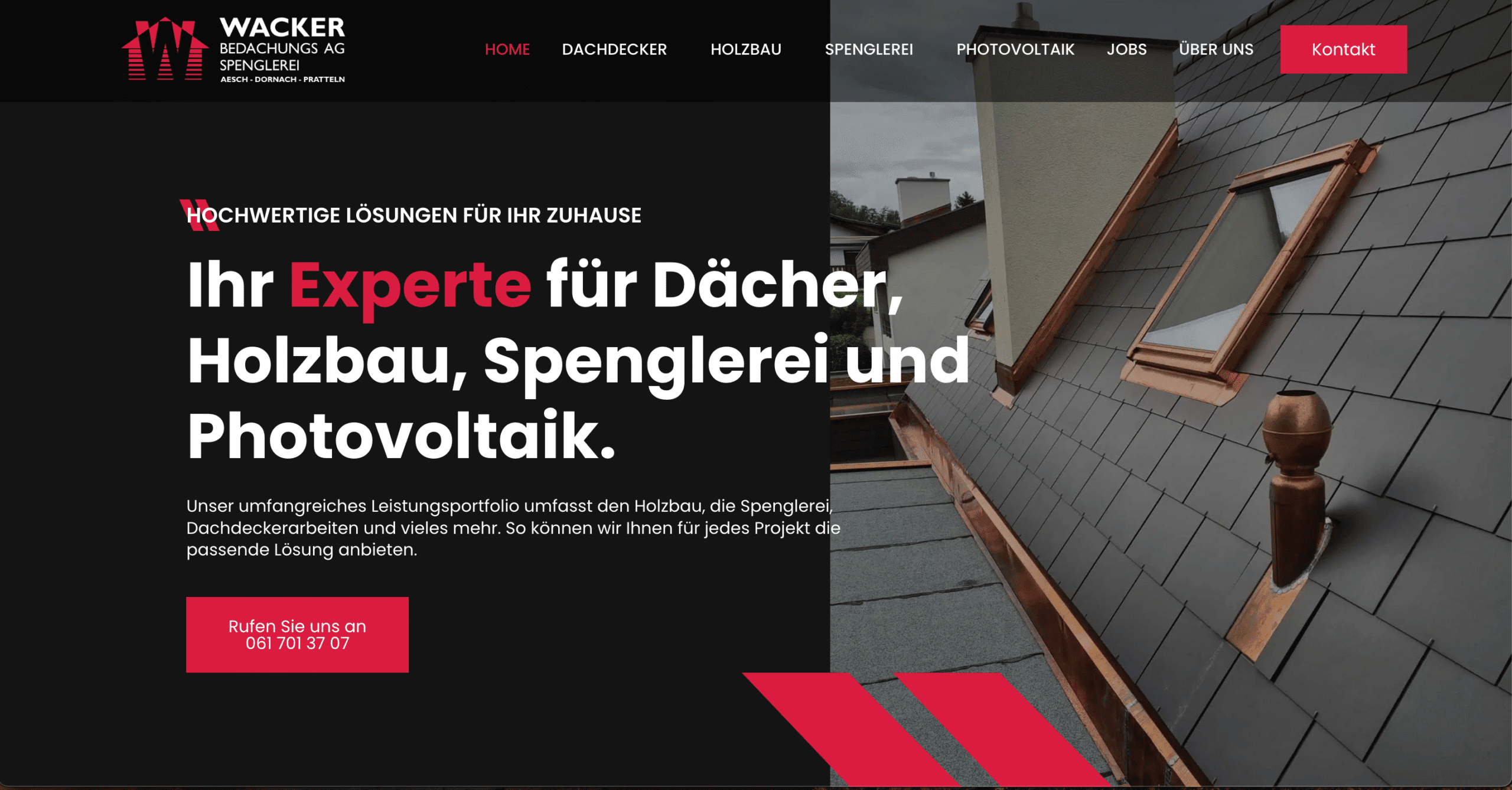
Das Unternehmen setzte lange Zeit auf klassische Mund-zu-Mund-Propaganda, erkannte aber das Potenzial der Digitalisierung.
Die Herausforderung bestand darin, eine moderne Website zu erstellen, die nicht nur professionell aussieht, sondern auch Leads generiert und bei Google besser gefunden wird.
Mit WordPress konnten wir eine SEO-optimierte Website entwickeln, die gezielt auf die Bedürfnisse der Zielgruppe ausgerichtet ist.
Wir haben relevante Keywords integriert, die Seitenstruktur optimiert und nutzerfreundliche Inhalte erstellt.
Durch diese Massnahmen wurde der Website-Traffic um 386 % gesteigert und die Anzahl der Online-Leads um 254 % erhöht.
Die einfache Wartung ermöglichte es dem Kunden, nach einer kurzen Schulung selbstständig Inhalte zu verwalten und neue Kunden gezielt anzusprechen.
Das zeigt: hauptsächlich für Unternehmen, die online sichtbarer werden und aktiv Kundenanfragen generieren möchten, ist WordPress eine optimale Lösung
Aber auch für SEO-starke Websites, contentgetriebene Unternehmen und kleinere E-Commerce-Projekte ist WordPress gut geeignet.
Grundsätzlich gilt: Wer bereit ist, regelmässig in Wartung, Sicherheitsupdates und Performance-Optimierung zu investieren, kann mit WordPress langfristig eine erfolgreiche Online-Präsenz aufbauen.
Persönliches Fazit
WordPress ist nach wie vor ein starkes und flexibles Content-Management-System, das für viele Unternehmen eine richtig gute Wahl ist.
Es gibt eine riesige Community, unzählige Erweiterungen und eine bewährte Infrastruktur für Websites, Blogs und Online-Shops.
Aber: WordPress ist nicht mehr die einzige sinnvolle Lösung.
In den letzten Jahren haben sich moderne Alternativen wie Webflow, Headless CMS und andere SaaS-Plattformen stark weiterentwickelt.
Diese Systeme bringen Vorteile, vor allem wenn es um Performance, Sicherheit und den Wartungsaufwand geht – je nach Projekt können sie also die bessere Wahl sein.
Ich empfehle WordPress besonders für Unternehmen, die schnell online gehen, flexibel bleiben und keine allzu komplexen Anforderungen an ihre Website haben.
Mit der grossen Auswahl an Themes, Plugins und Hosting-Optionen kann man schnell starten und später nach Bedarf erweitern.
Für Unternehmen, die spezielle Funktionen brauchen, viele Integrationen benötigen oder extrem hohe Skalierungsanforderungen haben, können andere Systeme jedoch besser geeignet sein.
Letztendlich hängt die Entscheidung immer davon ab, welche langfristigen Ziele ein Unternehmen verfolgt und wie viel Wartungsaufwand man bereit ist einzuplanen.
Häufige Fragen rund um WordPress
WordPress ist das meistgenutzte Content-Management-System weltweit und wird von Unternehmen jeder Grösse eingesetzt.
Trotzdem gibt es immer wieder Unsicherheiten, ob WordPress die richtige Wahl für bestimmte Branchen oder Projekte ist.
Deshalb beantworte ich hier einige der häufigsten Fragen, die mir Kunden regelmässig stellen.
Was kostet WordPress monatlich und jährlich?
WordPress selbst ist als Open-Source-Software kostenlos.
Allerdings entstehen je nach Einsatzbereich Kosten für Hosting, Themes, Plugins und Wartung.
Günstige Shared-Hosting-Pakete beginnen bei etwa 5 bis 10 Euro pro Monat.
Professionelles Managed WordPress-Hosting liegt zwischen 20 und 100 Euro monatlich, je nach Anbieter und Leistungsumfang.
Premium-Themes kosten einmalig zwischen 50 und 200 Euro, individuelle Designs sind teurer.
Plugins für E-Commerce, SEO oder Sicherheitsfunktionen können zusätzliche Kosten verursachen, insbesondere in der Pro-Version.
Insgesamt liegen die jährlichen Kosten für eine professionelle WordPress-Website zwischen 500 und mehreren tausend Euro, je nach Anforderungen und Umfang.
Ist WordPress sicher genug für sensible Branchen?
Ja, wenn es richtig konfiguriert wird.
WordPress hat eine solide Sicherheitsarchitektur, aber weil es so weit verbreitet ist, ist es auch ein beliebtes Ziel für Hacker.
Gerade für Branchen wie Gesundheitswesen, Finanzen oder E-Commerce sind dementsprechend zusätzliche Sicherheitsmassnahmen wichtig.
Dazu gehören regelmässige Updates, Firewalls, Sicherheits-Plugins (z. B. Wordfence oder Sucuri) sowie ein sicheres Hosting.
Unternehmen, die mit sensiblen Daten arbeiten, sollten zudem SSL-Verschlüsselung, regelmässige Backups und eingeschränkte Benutzerrechte einrichten.
Mit diesen Massnahmen ist WordPress aber definitiv sicher genug für anspruchsvolle Branchen.
Wann brauche ich professionelle Hilfe von einer Agentur?
WordPress eignet sich grundsätzlich für Unternehmen, die ihre Webseite selbst verwalten möchten.
Bei komplexeren Anforderungen wird aber oft eine professionelle WordPress Agentur benötigt.
Das gilt vor allem, wenn individuelles Design, massgeschneiderte Funktionen oder eine SEO-Strategie benötigt werden.
Auch bei Wartung, Sicherheit und Performance-Optimierung kann eine Agentur langfristig viel Arbeit abnehmen.
Gerade E-Commerce-Websites, grössere Unternehmenswebsites oder stark wachsende Projekte profitieren von professioneller Unterstützung.
Denn ohne technisches Know-how kann es schwierig werden, eine WordPress-Website langfristig performant und sicher zu halten.