
What is Digitec Galaxus?
Digitec Galaxus consists of two main brands: Digitec and Galaxus.
Digitec specializes in IT, telecommunications and consumer electronics, while Galaxus offers a wide range of products from various categories, including household goods, toys, sporting goods and furniture.
Mit einem Umsatz von mehr als 3,8 Milliarden im Jahr 2025 und einer kontinuierlichen Wachstumsrate ist Digitec Galaxus die meistbesuchte E-Commerce-Website in der Schweiz.
Für Händler bedeutet die Zusammenarbeit mit Digitec Galaxus Zugang zu einer grossen Kundenbasis, professionelles Produktmanagement und umfangreiche Marketingmöglichkeiten.
Warum solltest du deinen WooCommerce-Shop an Digitec Galaxus Marketplace anbinden?
The integration offers you a greater reach and can increase your sales figures.
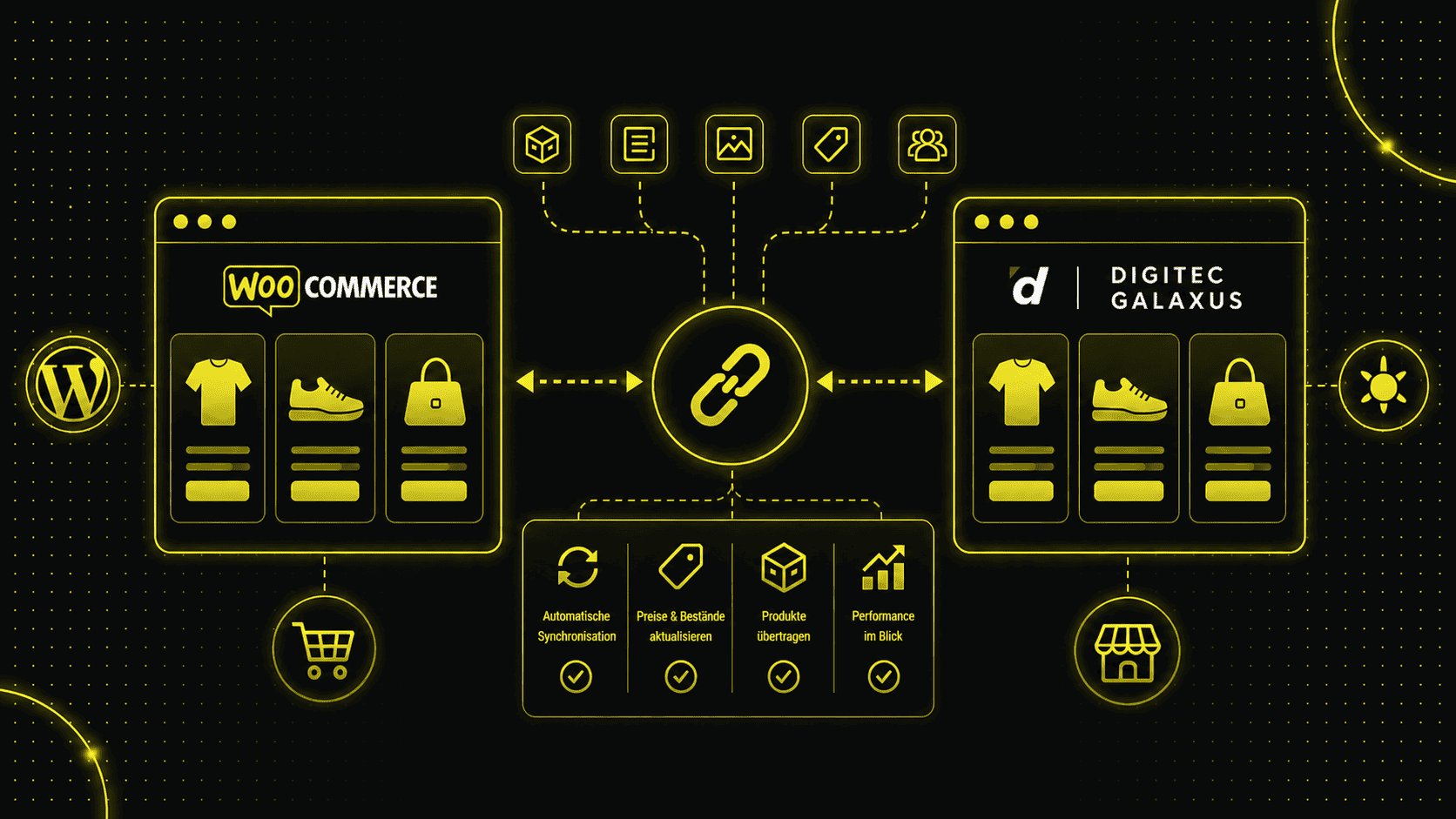
Zudem ermöglicht dir die Anbindung eine weitgehende Automatisierung deiner Verkaufsprozesse, indem du Produktdaten, Bestellungen und Lagerbestände zentral verwalten und synchronisieren kannst.
This significantly reduces your manual effort and ensures smooth operations.
Retailers also benefit from extensive marketing opportunities, such as personalized newsletters and advertising campaigns that increase the visibility and reach of the products.
Digitec Galaxus' user-friendly returns system increases customer satisfaction and simplifies returns management.
How can you prepare for a connection?
Before you start the integration, make sure you have the latest version of WooCommerce installed.
You will need API keys and access data from Digitec Galaxus Marketplace, which you will receive after registering as a retailer.
Prepare your product data carefully, including accurate descriptions, high-quality images, prices, stock levels and product attributes.
Basic knowledge of API integration and plugin management is also an advantage.
But don't worry, we'll be happy to help you if you need support connecting WooCommerce to Digitec Galaxus Marketplace.
Step-by-step instructions for connection
- Installation und Konfiguration von Plugins: Wähle ein geeignetes Plugin wie ChannelPilot, ChannelEngine oder Channable und installiere es in deinem WooCommerce-Shop. Konfiguriere die grundlegenden Einstellungen und gib die API-Schlüssel von Digitec Galaxus ein. Ich bevorzuge Channable.
- API-Integration und Authentifizierung: Abruf und Eintragen der API-Schlüssel in dein Plugin, um die Verbindung zwischen WooCommerce und Digitec Galaxus herzustellen. Teste die API-Verbindung gründlich, um sicherzustellen, dass alle Daten korrekt übertragen werden.
- Produkte Feeds mittels FTP synchronisieren: Übertrage alle relevanten Produktinformationen, einschliesslich Beschreibungen, Preisen und Lagerbeständen, von WooCommerce zu Digitec Galaxus. Richte regelmässige Updates ein, um sicherzustellen, dass deine Produktdaten stets aktuell sind. Die Feeds können mittels des FTP-Servers von Digitec Galaxus verbunden werden. Hier die FTP-Anleitung dazu.
- Order processing and logistics: Manage incoming orders directly via your WooCommerce dashboard and integrate shipping and logistics service providers. Use the Digitec Galaxus returns system to increase customer satisfaction and simplify returns management.
Best practices for a successful connection of WooCommerce to Galaxus Marketplace
Optimiere deine Produktbeschreibungen und Bilder, um die Attraktivität deiner Produkte zu erhöhen.
Halte deine Produktdaten regelmässig aktuell, um Inkonsistenzen zu vermeiden.
Verwende Analyse- und Berichtsfunktionen, um die Performance deiner Produkte zu überwachen und anzupassen.
Bei technischen Problemen oder Fragen zur Integration wende dich an das Support-Team von Digitec Galaxus oder deine Agentur.
Conclusion
Die Anbindung deines WooCommerce Onlineshops an den Digitec-Galaxus-Marketplace eröffnet dir zahlreiche Möglichkeiten, deine Reichweite zu vergrössern und den Umsatz zu steigern.
The automation and centralized management of product data, orders and stock makes operations more efficient. Take advantage of the extensive marketing opportunities and improve customer satisfaction with the user-friendly returns system.
This integration helps you to exploit the full potential of your e-commerce business and grow successfully.
Frequently asked questions
How long does the connection take?
Die Dauer variiert je nach Komplexität deines Shops und der Menge der Produkte.
Wir haben ca. 2 bis 4 Arbeitstage, den Shop vollständig zu verbinden.
Bei winzigen Shops kann es auch wenige Stunden dauern.
Normalerweise haben wir dies in 2 Wochen erledigt.
Es hängt aber auch noch vom Digitec Galaxus Team ab, ob sie die Feeds freigeben.
What do I need to ensure a clean connection to Galaxus?
Stelle sicher, dass die Kategorien in deinem Shop mit den Kategorien bei Galaxus übereinstimmen.
Andernfalls müssen sie später manuell in Channable konfiguriert werden.
Ausserdem benötigst du die GTIN-Nummer für deine Produkte (eine 13-stellige Zahl).
Diese darf keine interne GTIN-Nummer sein, da Galaxus sie sonst nicht akzeptiert.
What costs are associated with integration?
Es fallen Kosten für das Plugin und eventuelle Anpassungen und laufende Gebühren für verkaufte Produkte seitens Digitec Galaxus an.
Genaueres zu den Gebühren kannst du hier nachlesen.
Wenn du Channable verwendest, musst du mit Kosten von mindestens 59 € pro Monat rechnen.
Die Anbindung durch uns hängt von der Komplexität des Shops ab, beginnt jedoch bei 2’880 CHF.
Kann ich spezifische Produkte ausschliessen?
Ja, die meisten Plugins bieten Filtermöglichkeiten, um festzulegen, welche Produkte synchronisiert werden sollen.
Wie gehe ich mit Synchronisationsfehlern um?
Führe regelmässige Überprüfungen durch und nutze die Fehlerberichtsfunktionen der Plugins. Bei anhaltenden Problemen kontaktiere den Support.