

What is ChatGPT
ChatGPT is an AI-powered chatbot that understands and generates natural language to respond to questions and prompts in human language.
It was developed by OpenAI and answers questions or even writes entire texts in seconds.
Mittlerweile gibt es auf dem Markt verschiedene KI Tools, wobei einige kostenlos und andere kostenpflichtig sind.
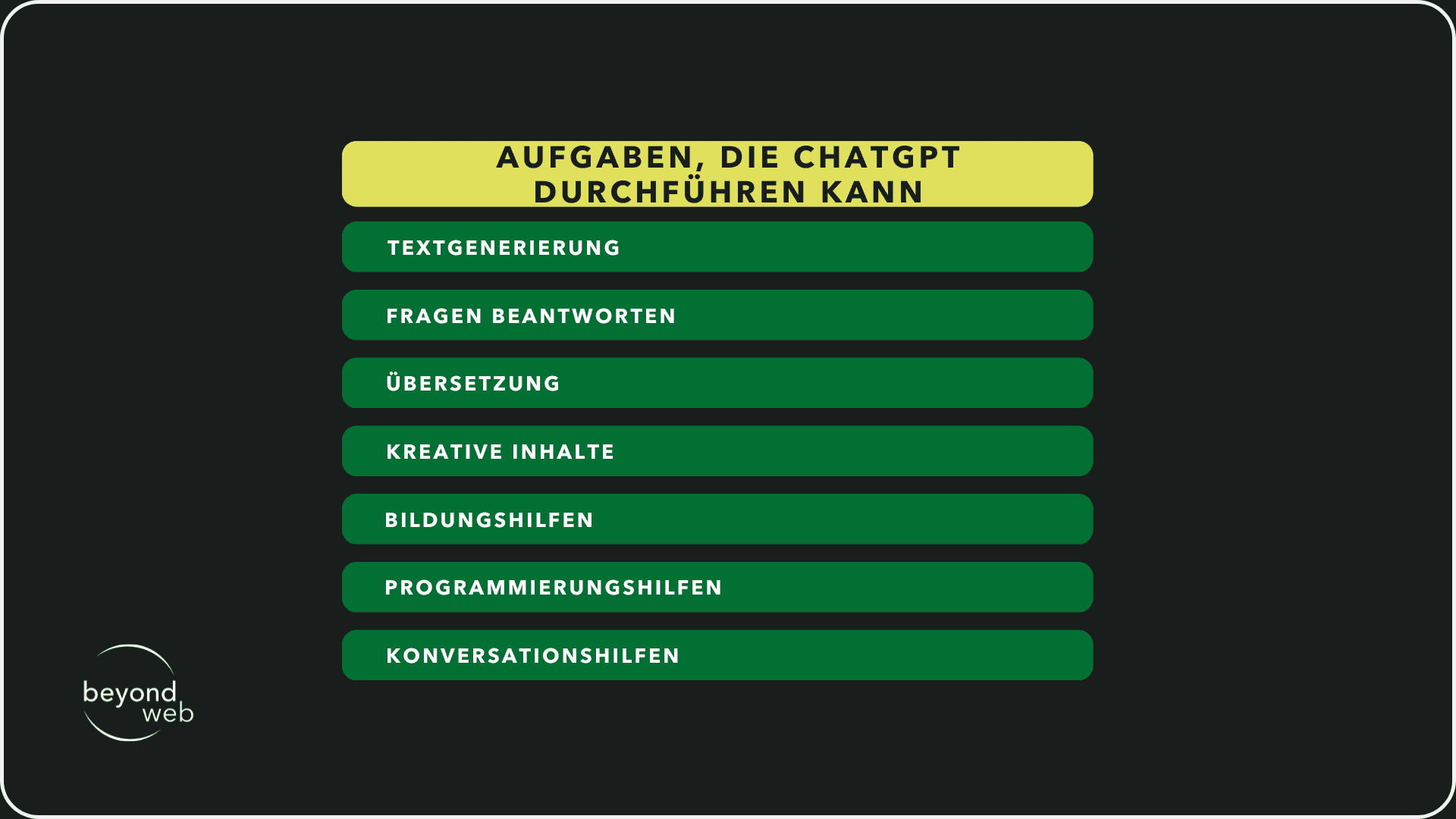
AI tools such as ChatGPT can assist with a variety of typing tasks, which are listed in the graph below.
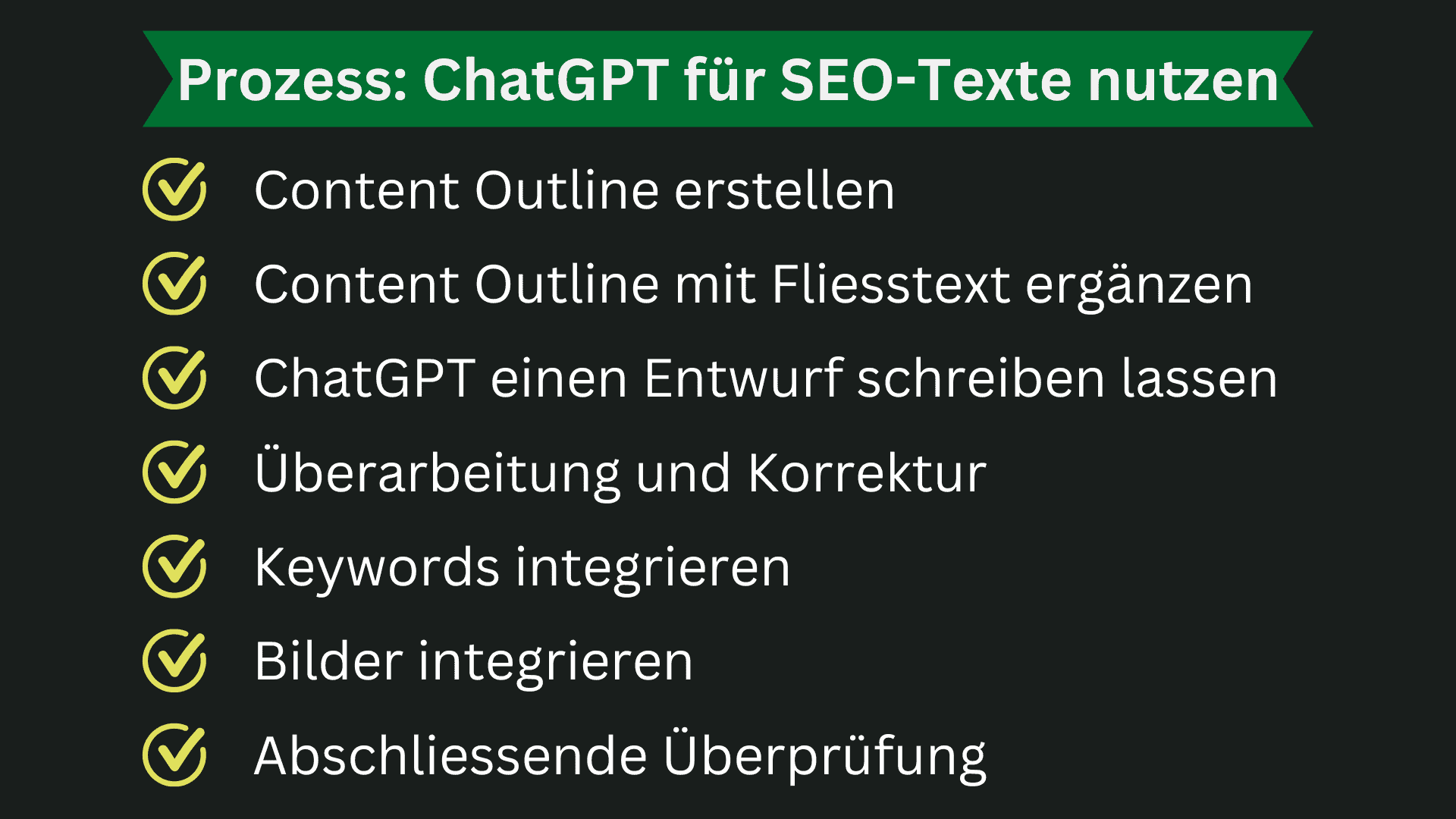
Process: How to use ChatGPT to create SEO texts
You probably have the feeling that ChatGPT can no longer be used for texting.
However, this is not the case.
You just need to know how to use ChatGPT.
And now I'll explain exactly how you can use it to create a good SEO text.
Create content outline
Once you have decided on a focus keyword and know what the main goal of a text is, you can start with a content outline.
ChatGPT can be used for this step.
Research your specific focus keyword and look at the first three search results.
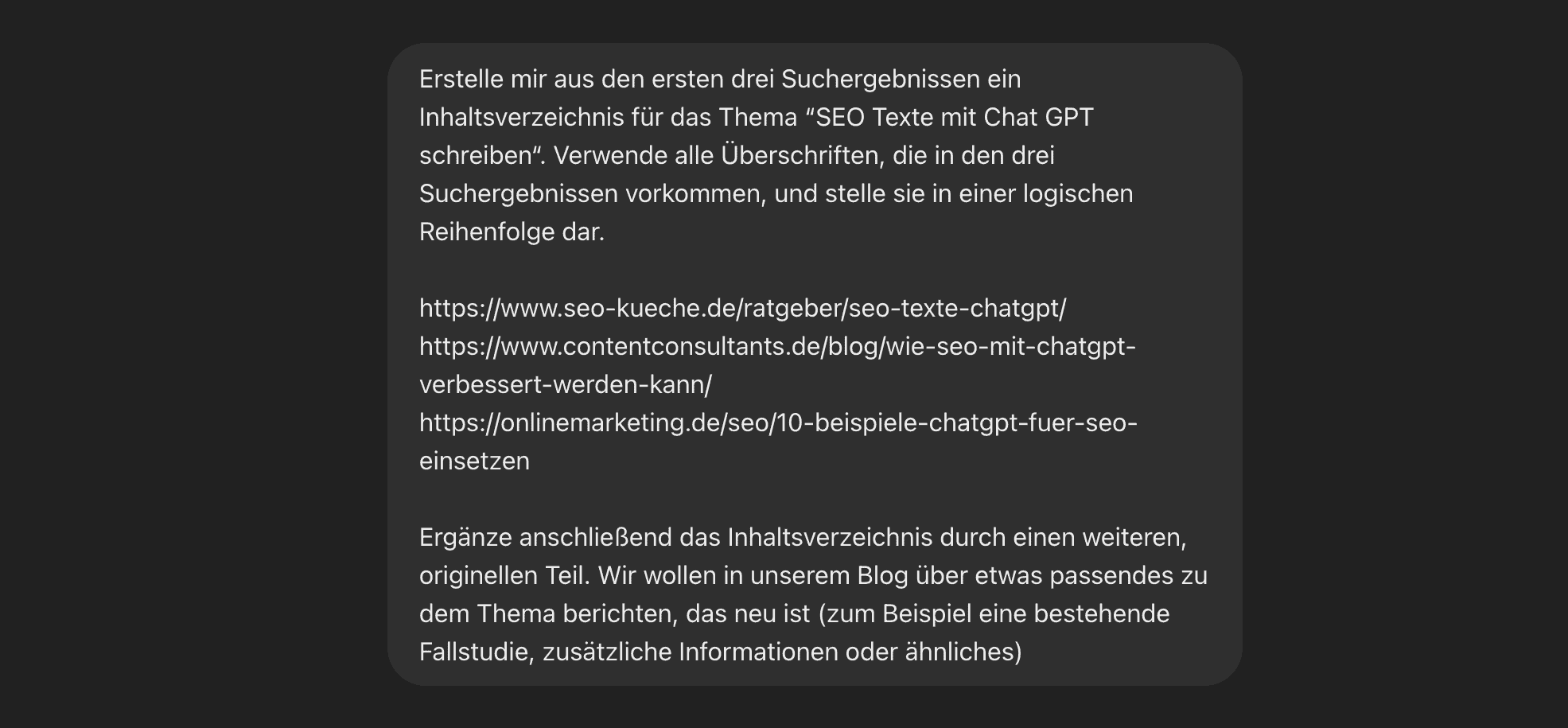
Copy these links and paste them into the chat at ChatGPT 4o.
Now instruct the AI tool to create a table of contents for you.
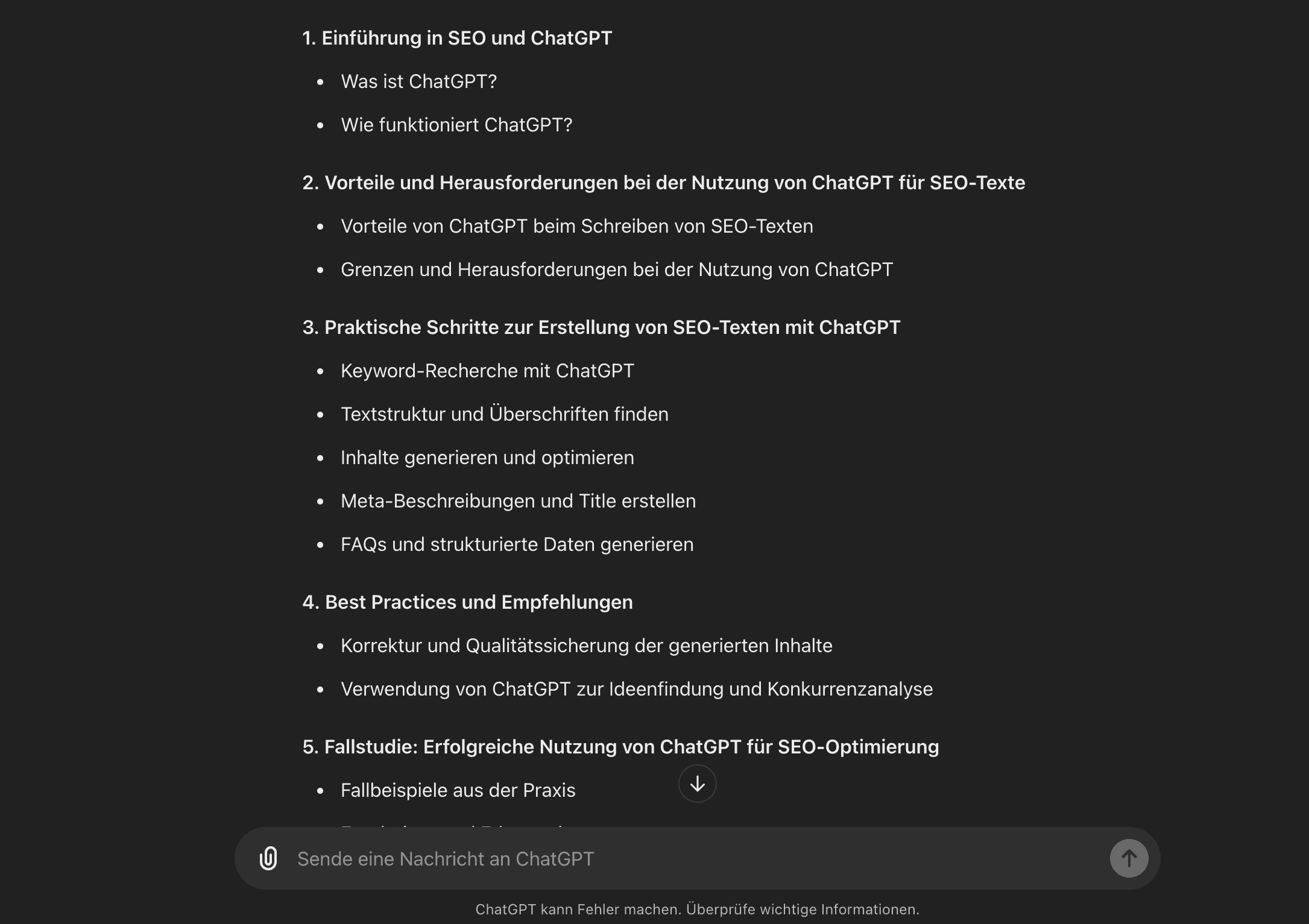
ChatGPT can display all headings that appear in the three search results in a logical order.
Dadurch kannst du sicher sein, dass du alle Themenbereiche, die auch die Top-Ergebnisse in Google behandeln, abdeckst.
Once you have a first draft for a ChatGPT table of contents, there are two options.
Either you ask ChatGPT to revise the table of contents so that it includes something unique in addition to the existing titles.
This is about creating a point in the table of contents where you can stand out from the competition.
This can be a case study, specific step-by-step instructions or an interview.
Or you complete the table of contents yourself without ChatGPT.
In any case, the goal remains the same.
You don't just want to offer the content that the others already offer, but also something that is new (keyword: information gain).
Add continuous text to the title of the content outline
Once the table of contents is complete, you can add short explanations to the individual headings about what is covered in each section.
The ideal is five to ten sentences.
This helps to structure the content more clearly and gives ChatGPT a better idea of what should be written.
You can also use bullet points to record the most important ideas and facts for each section.
Let ChatGPT write a first draft
Once you have completed each heading with a short body text and keywords, you will have formulated a clear, precise instruction for ChatGPT.
A good prompt is the be-all and end-all.
I'll give you an example of this:
Write a detailed paragraph about [topic/heading], based on the following information: [own body text/key points]. Include the following keywords in the text: [keywords]."
You then have ChatGPT write a first draft.
If necessary, you can also revise the prompt at any time and have ChatGPT create another draft.
Revision and correction
As soon as a first draft is ready, the next step is to revise and correct it.
To do this, go through the text paragraph by paragraph.
Pay attention to a logical structure, readability and correctness.
Remove or correct unclear or imprecise passages or keywords that are integrated too frequently.
Also pay attention to the style and tone of the text so that it really suits your target group.
This means that you can also reword certain sections or add additional explanations.
Integrate keywords
Once you have revised the text, devote your time to the keywords again.
Einige wird ChatGPT bereits integriert haben und du wirst darauf geachtet haben, dass kein Keyword-Stuffing vorkommt.
You may find a few more sections in this step where you can integrate additional keywords into the text in a natural way.
It is important that legibility is not impaired.
Integrate images
Once the keywords are integrated and your SEO text is ready, you can add images.
Depending on the focus keyword, you need more or fewer images.
The most important thing is that you add an individual alt text to each image.
This is the only way search engines like Google can read the images and understand what is on them.
Final review
If your images are also integrated into the text, read through the entire text again.
The aim is to ensure that the text is pleasant and easy to read.
Also make sure that the transitions between the sections are logical and that the text has a clear central theme.
If you want, you can also have another person read the text and give you feedback.
Sometimes this can help to improve the text even further.
The advantages of ChatGPT
ChatGPT basically has some advantages.
This means that the AI tool can not only provide answers quickly and efficiently, but also generally covers a broad spectrum of knowledge in various areas.
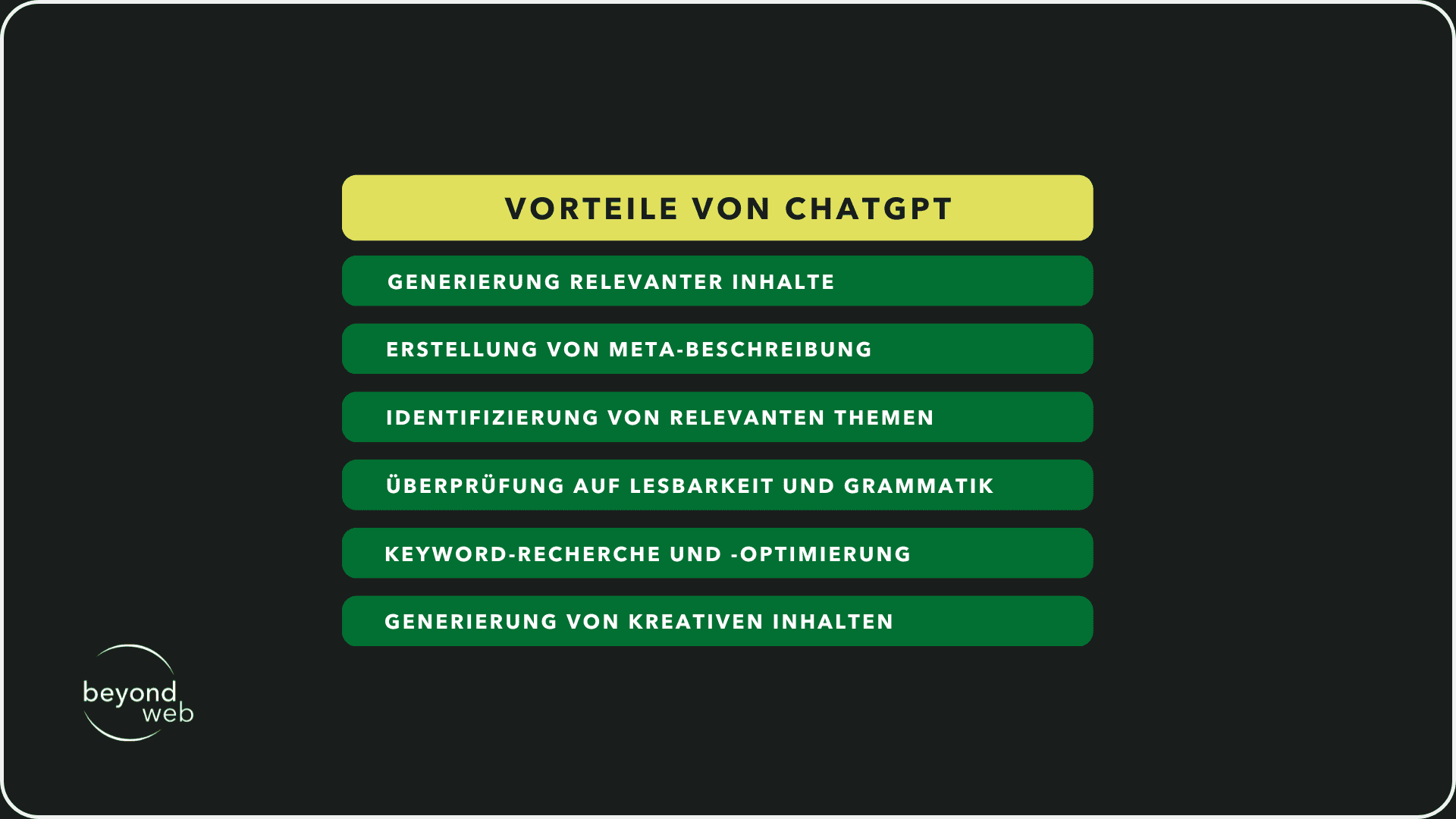
If we now look at the area of SEO (search engine optimization), the following advantages arise, according to KI ChatGPT:
Generation of relevant content
The AI tool can create content, i.e. it helps to generate content.
This allows you to quickly generate a lot of text and also optimize this text for SEO by having ChatGPT insert certain keywords or phrases.
Creation of meta description
In addition to generating content, ChatGPT can also create meta descriptions.
When writing the meta description, it is important to ensure that the description only contains 150 to 160 characters and that the focus keyword is included.
Giving ChatGPT a sufficient prompt can help the tool to create a description that attracts users' attention and increases the click-through rate.
Identification of relevant topics
In addition to generating content, ChatGPT can also help to find relevant topics and subtopics for SEO texts.
This is important to ensure that the content created is not only informative, but also has the potential to rank in search engines.
Check for readability and grammar
ChatGPT can also help with checking and correcting texts.
On the one hand by checking texts for legibility, on the other hand by checking texts for grammatical errors.
Keyword research and optimization
ChatGPT can also help with researching relevant keywords.
It can also place the keywords in the text.
Generation of creative content
ChatGPT can support the generation of creative ideas and approaches.
According to ChatGPT, the tool can provide creative impetus thanks to its ability to process large amounts of data and recognize complex patterns.
The AI tool claims to be better here than traditional brainstorming methods.
The limits of ChatGPT
ChatGPT itself already points out that the answers given by the chatbot need to be checked.
This shows that even an AI tool has its limits and I would like to show you what these are in this section.
Incorrect or incomplete answers to questions
A common error that occurs with ChatGPT is that questions are answered incorrectly or incompletely.
I'll show you an example of this:
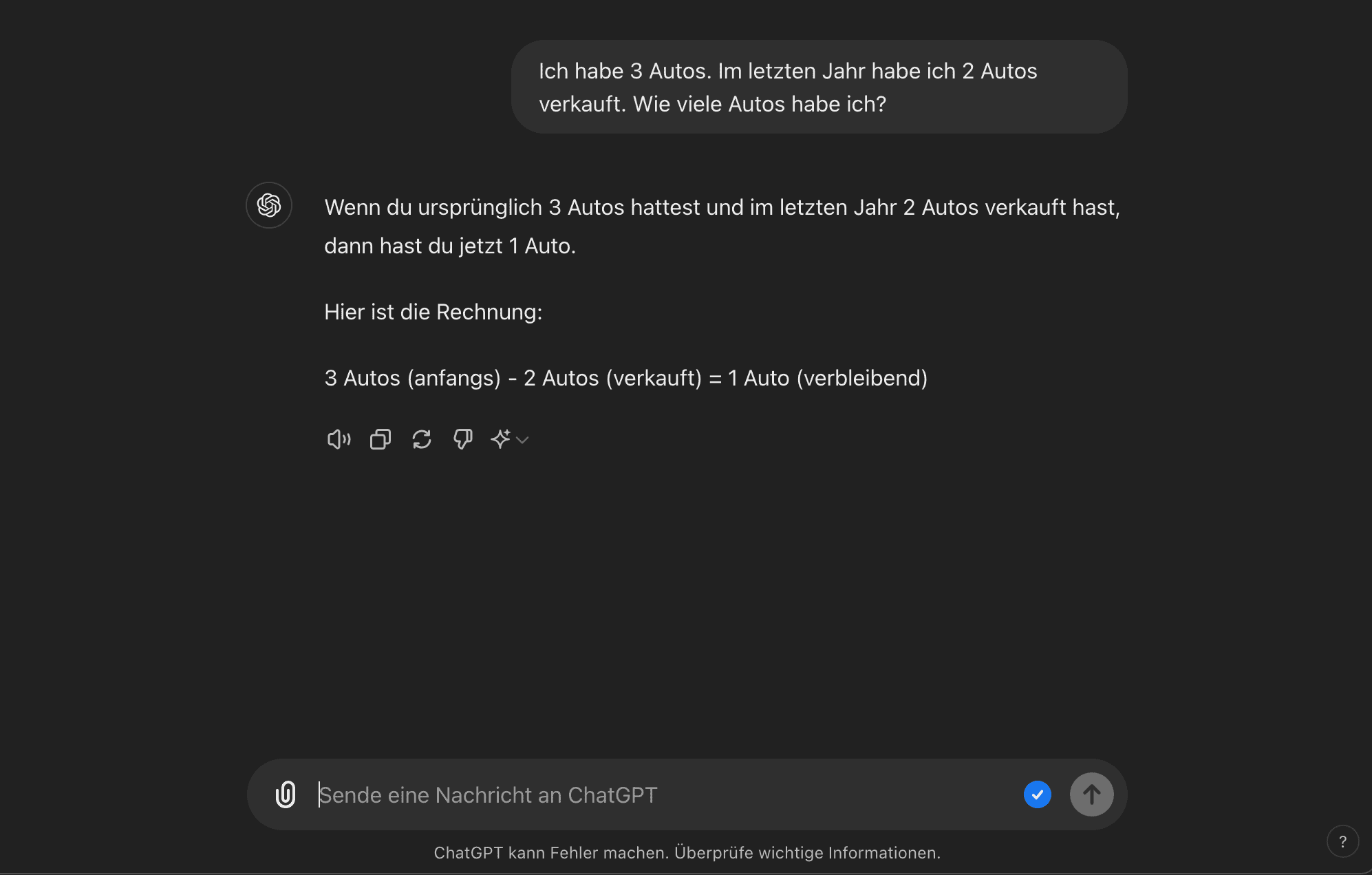
I asked ChatGPT a simple question in the form of a little puzzle.
If you think about it a little, you will quickly find the right solution.
In this example, however, the chronological order is a problem for the ChatGPT.
Therefore he replies: "If you originally had 3 cars and sold 2 cars last year, then you now have 1 car."
However, the correct answer would be "3 cars".
How many I sold last year doesn't change the number I currently have.
If I point out the error to ChatGPT, the following happens:
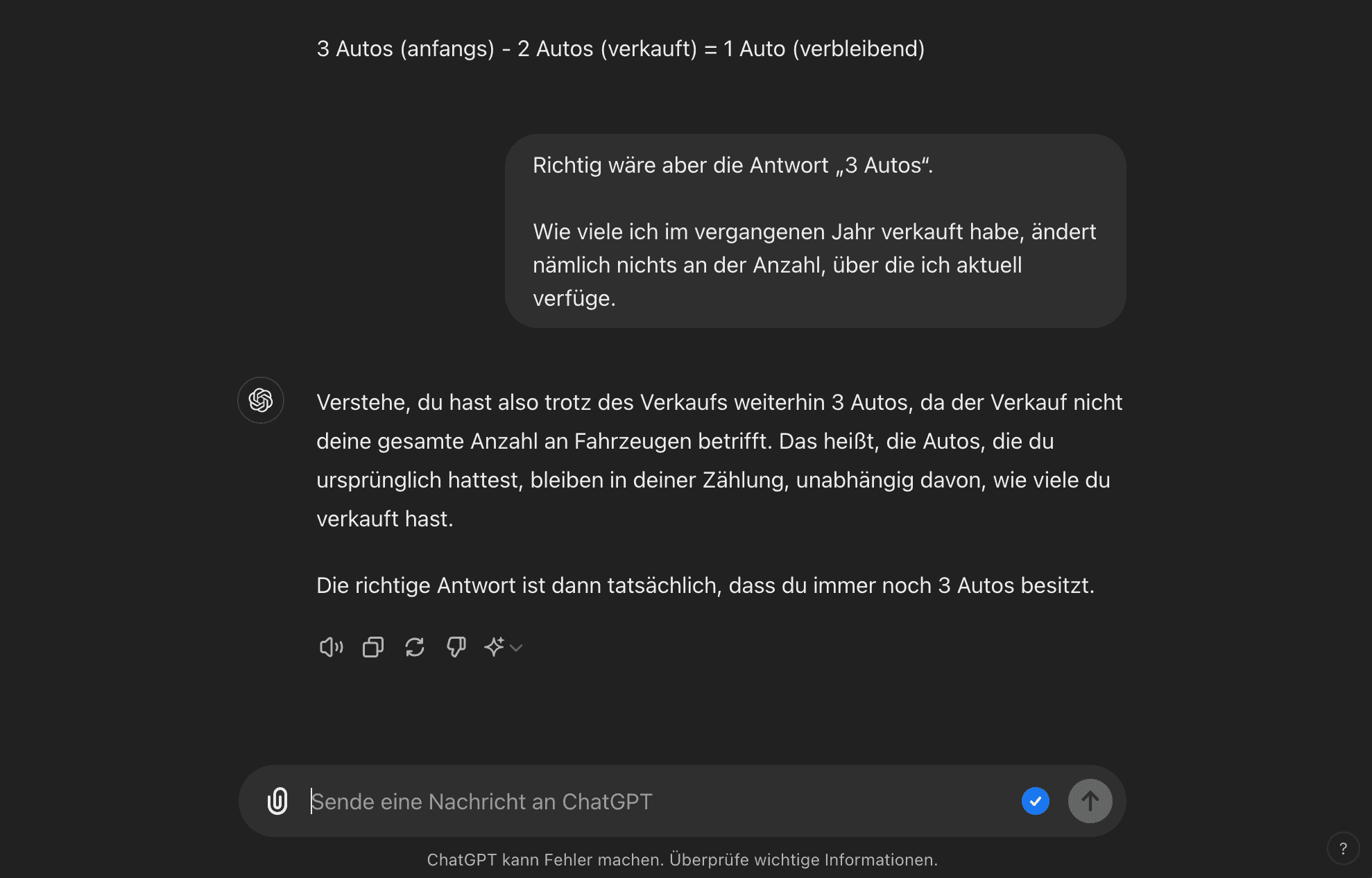
This shows that ChatGPT makes mistakes very quickly and immediately changes its own answer based on my statement.
It is therefore important to make sure that ChatGPT really answers the questions correctly and completely.
Incorrect translations
ChatGPT also reaches its limits when translating texts.
Sometimes the translations are incorrect or the original meaning of the text is lost, leading to misunderstandings.
However, our own tests have shown that these errors occur primarily with the free version.
When using the latest version, GPT-4, the quality of the translations increases considerably.
Thanks to the more advanced technology and more comprehensive language processing, GPT-4 is able to better capture not only the meaning of the words, but also the context, resulting in significantly fewer errors.
Poor correction of grammar, punctuation and spelling
According to ChatGPT, it can be used to correct grammar and spelling.
However, I take a rather critical view of this point, especially with the free version.
It is often noticeable that the ChatGPT texts contain a large number of errors.
In addition, errors that you write yourself in the question are not corrected, but adopted as they are.
Problems also arise with the use of foreign words and capitalization.
In addition, the language used by ChatGPT often lacks liveliness and originality.
Nonetheless, an AI tool like ChatGPT is of course constantly learning, so the errors will also become fewer and fewer over time.
With GPT-4, the latest version of ChatGPT, it is already apparent that the errors are significantly fewer and the tool is much better suited to making corrections compared to the free version.
Why pure ChatGPT SEO texts are problematic
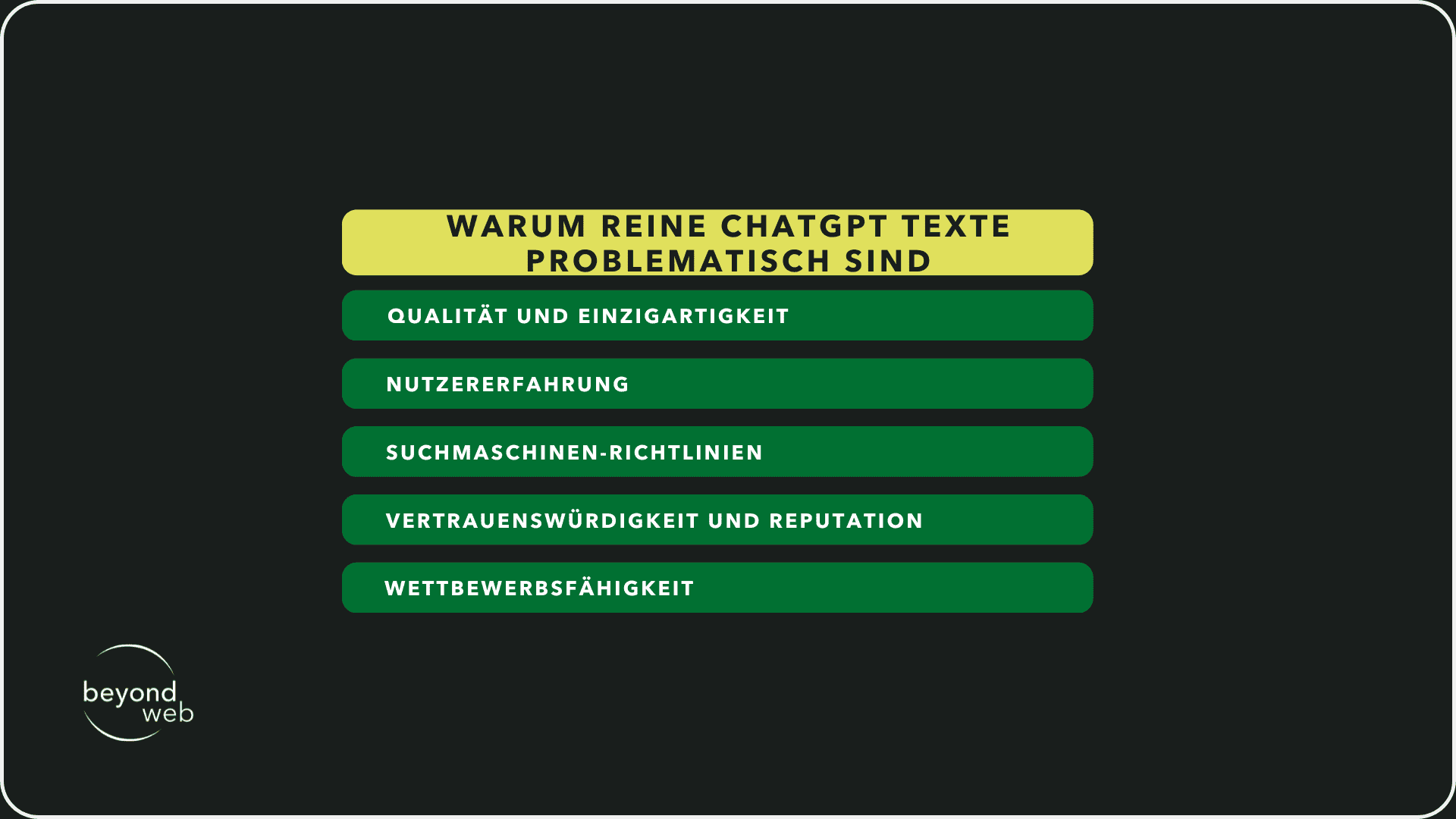
SEO texts that are written exclusively with ChatGPT can be problematic for several reasons:
Quality and uniqueness
Since AI tools such as ChatGPT have been around, many people have been using them.
This creates the risk of similar or even identical content being generated and published.
This means that the content lacks uniqueness and novelty.
Search engines such as Google, however, prefer precisely this content that shows that it is unique.
In addition, automatically generated texts often lack depth and relevance, as they are usually based on general information and do not necessarily cover the specific needs and questions of the respective target group.
User experience
AI tools tend to optimize SEO texts exclusively for keywords.
We also refer to this as "keyword stuffing".
This makes texts unnatural and difficult to read.
The SEO texts therefore no longer offer any real added value, but only superficial information.
This worsens the user experience, which leads to a higher bounce rate, and keyword stuffing is penalized by search engines such as Google.
Search engine guidelines
All search engines, but especially Google, have guidelines against automatically generated content that offers no added value.
Accordingly, most texts that are only written with ChatGPT are penalized and not indexed.
You're probably wondering how a search engine like Google can determine that?
The search algorithms of search engines are getting better and better.
You recognize the texts and determine whether this offers unique, self-written content or just the usual ChatGPT phrases.
Trustworthiness and reputation
Most users recognize texts written by ChatGPT.
And if your readers realize that you only generate your texts automatically and that they do not contain any in-depth specialist knowledge, they will lose the desire to engage with your content.
Many industries require expert knowledge that cannot be replaced by automatically generated texts.
A lack of depth and expertise can therefore have a negative impact on your trustworthiness and reputation within your industry.
Competitiveness
Competition for the top rankings is fierce in many sectors.
Accordingly, it is incredibly important to create unique content that stands out from the competition and offers real added value.
An SEO text generated by ChatGPT can never prevail against well-researched, human-written content.
So if you only use ChatGPT, you will never reach the top rankings.
Which version of ChatGPT should you use
Das KI-Tool passt sein Preismodell laufend an.
In addition to the free version, ChatGPT also offers several paid versions.
The disadvantage of the free ChatGPT variant is, on the one hand, that everything that is entered there is also used to train the AI and is therefore published.
So if you work with business information, you should not use the free version under any circumstances.
On the other hand, the functions and performance are limited in the free version.
As a result, users can only access a less powerful model, which impairs the efficiency and quality of the generated texts.
There are four different versions of ChatGPT.
I will now show you these and then give you a recommendation as to which version you should use.
Free version
As already mentioned, the free versions use the input to train the AI and can be published.
In addition, as a user you only have access to older, less powerful models and also have usage restrictions.
This means you only have a limited number of requests per day or hour.
Chargeable 4 modes
By paying, you automatically get access to the latest and most powerful model of ChatGPT with maximum computing power.
The following versions are available:
Version 4
With version 4, the inputs are not used to train the AI and remain private.
Version 4 is suitable for complex tasks and large projects, but is now one of the older versions of ChatGPT.

Version 4o-mini
Even with the 4o-mini version, the inputs are not used to train the AI and remain private.
4o-mini has limited computing power compared to versions 4 and 4o.
However, this version is perfect for simple tasks and less demanding projects.

Version 4o
Even with version 4o, the inputs are not used to train the AI and remain private.
4o has the same high computing power as version 4.
The difference between the two is that 4o can also analyze specific links, for example.
This means that 4o is also designed for more complex tasks and extensive projects.

At Beyondweb, we use version 4o in most cases.
This version is particularly suitable for creating the table of contents for SEO texts, because we have the option of giving ChatGPT the first three search results from Google as the basis for the creation.
Frequently asked questions
Finally, I would like to answer the most frequently asked questions about "Writing SEO texts with ChatGPT".
How can ChatGPT help with the creation of SEO texts?
ChatGPT can help with SEO copywriting by using the tool to generate content outlines, integrate relevant keywords and create an initial draft.
ChatGPT can also be used to create meta tags and descriptions.
The efficiency of the tool saves a lot of time in the writing process.
Nevertheless, text that is only generated by ChatGPT will be recognized by Google and will not rank accordingly.
This means that it is important to revise ChatGPT's texts accordingly and to incorporate your own specialist knowledge.
Can ChatGPT cater to specific industries or topics?
In principle, ChatGPT can cater to specific industries or topics.
The tool is able to generate texts on a wide range of subject areas.
ChatGPT draws on an extensive database of information for this purpose.
Nevertheless, not everything ChatGPT says is correct in terms of content.
It is important to check the information carefully and, above all, to incorporate your own specialist knowledge into the texts.
How does ChatGPT integrate keywords into SEO texts?
If you give ChatGPT specific keywords, it can place them in a text.
The tool is able to integrate the keywords in headings, subheadings and body text.
It is important, however, that you make sure that the keywords that ChatGPT integrates do not disrupt the reading flow and that there is no keyword stuffing.
Both would have a negative impact on the ranking of your SEO text.